
How to Design Notification Systems
Learn how to design effective notification systems that enhance user experience by focusing on clarity, timing, and user preferences.

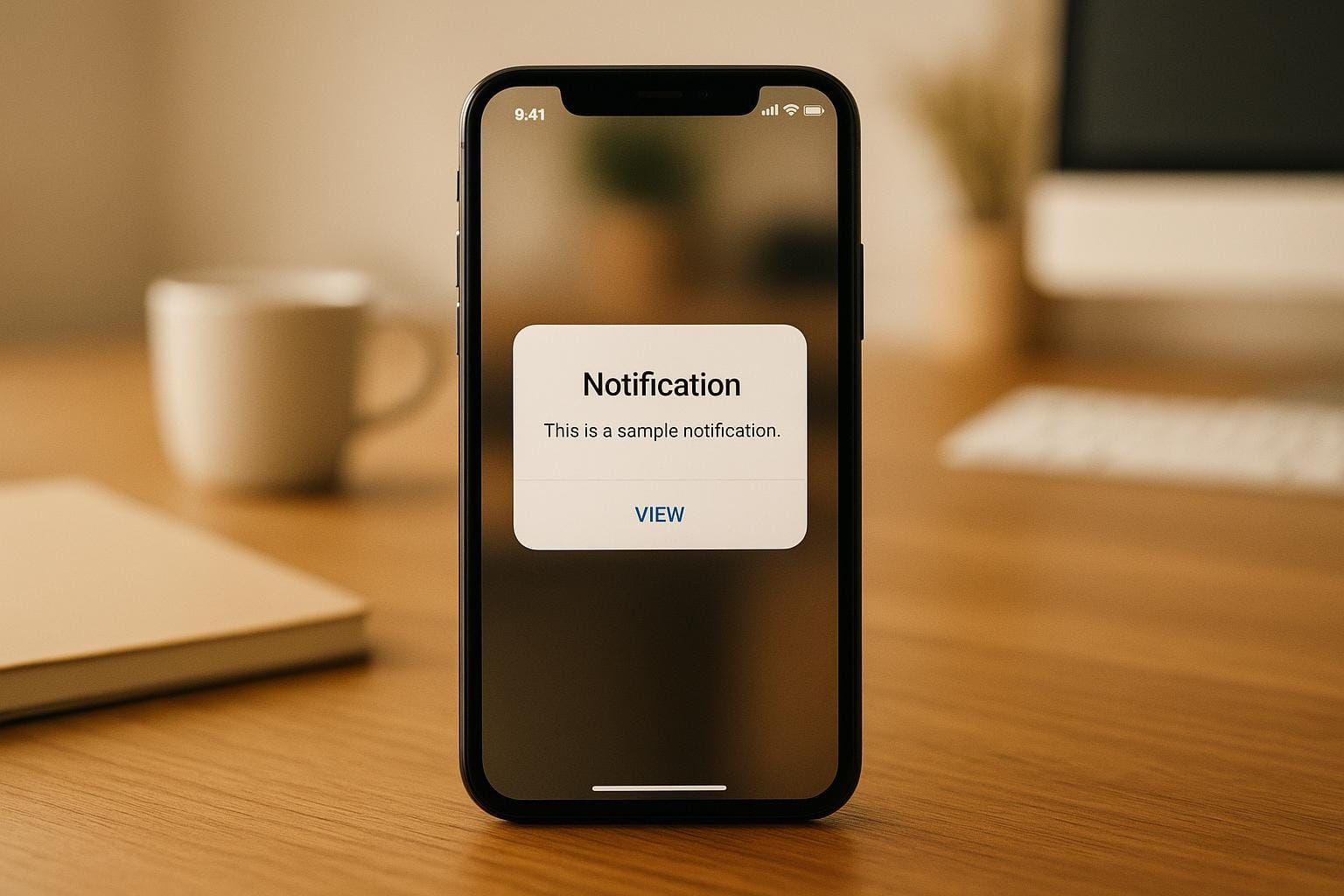
Notifications are how apps and platforms communicate directly with users. They deliver important messages like payment confirmations, security alerts, or reminders. But designing them isn’t just about sending messages - it’s about making them timely, clear, and relevant. Poorly executed notifications can frustrate users, while well-designed ones can improve trust and engagement. Here’s what matters:
- Types of Notifications: Task-triggered (e.g., purchase confirmations) vs. system-triggered (e.g., security alerts).
- Formats: Inline messages, toast/snackbar notifications, modals, badges, push notifications, and email/SMS.
- Timing: Consider user activity patterns, time zones, and avoid interrupting during quiet hours.
- Frequency: Balance the number of notifications - too many annoy, too few reduce engagement.
- User Preferences: Allow customization of notification types, delivery methods, and frequency.
Building a scalable system involves robust architecture (e.g., message queues, background workers) and tools like Kafka for managing high traffic. To keep users happy, focus on clarity, actionable language, and respecting their attention. Notifications should enhance the user experience, not disrupt it.
Types and Formats of Notifications
Notifications play a crucial role in creating systems that genuinely benefit users. The type and format of a notification can determine whether it feels helpful or intrusive. Each serves a specific purpose, and understanding their strengths helps ensure effective communication.
Common Notification Types
Notifications can be grouped into two main categories: task-generated and system-generated. Each type has distinct characteristics and design requirements.
- Task-generated notifications: These are triggered by user actions, like a purchase confirmation or file upload status. Their purpose is to provide immediate feedback, confirming that the user’s action was successful. Because they respond directly to user-initiated events, they feel intuitive and reassuring. For instance, a "Payment processed" message gives users confidence that their action went through.
- System-generated notifications: These are initiated independently of user actions. Examples include security alerts, subscription renewals, or reminders about upcoming events. To avoid being seen as disruptive, these notifications must provide clear value. For example, a security alert about an unusual login attempt is appreciated, but a promotional message disguised as a system warning can frustrate users.
Notification Formats and Their Use Cases
Choosing the right notification format ensures your message reaches users effectively without overwhelming them. Each format has its own ideal use case, depending on the type of information and the user's context.
- Inline notifications: These appear directly within the interface, blending naturally into the user’s workflow. They’re perfect for form validation, status updates, or providing context-specific information. For example, an error message next to a form field helps users correct mistakes without leaving the page.
- Toast and snackbar notifications: These are brief, temporary messages that appear and fade away automatically. They’re great for quick updates like "File saved" or "Message sent." Their non-intrusive nature makes them convenient, though users might miss them if they’re not paying attention.
- Modal dialogs: Designed to capture immediate attention, these block other interface interactions until addressed. They’re ideal for critical alerts, such as confirming a destructive action or resolving an error. However, because they interrupt the user’s workflow, they should be used sparingly.
- Badge notifications: These are visual indicators, often showing counts on icons or interface elements. They’re excellent for displaying unread messages, pending tasks, or new items. Badges allow users to decide when to engage without being disruptive.
- Push notifications: These reach users even when they’re not actively using your app, making them effective for time-sensitive updates or re-engagement. However, they can feel intrusive if overused. Each push notification should provide genuine value to justify the interruption.
- Email and SMS notifications: These are ideal for delivering important information that users may need to reference later, such as receipts or account updates. They’re also useful as backup channels when other methods fail. However, they compete with numerous other messages in crowded inboxes, so crafting concise and compelling content is critical.
| Format | Best For | Advantages | Considerations |
|---|---|---|---|
| Inline | Form validation, contextual updates | Non-intrusive, blends with workflow | May go unnoticed if not prominent |
| Toast/Snackbar | Quick confirmations, status updates | Brief, non-blocking | Temporary, easy to miss |
| Modal | Critical alerts, confirmations | Demands attention, ensures action | Interrupts workflow, use sparingly |
| Badge | Counts, pending items | Glanceable, non-disruptive | Limited detail, requires clear context |
| Push | Time-sensitive updates, re-engagement | Reaches users anywhere | Can feel intrusive, needs user consent |
| Email/SMS | Important records, backup channel | Persistent, shareable | Competes with other inbox messages |
Device-Specific Notification Considerations
The effectiveness of a notification also depends on the device being used. Adapting your design to fit the context of desktops, mobile devices, and tablets ensures a better user experience.
- Desktop notifications: With larger screens and longer user sessions, desktop notifications can be more detailed. Users often multitask, so notifications need to stand out without overwhelming. Browser notifications, for example, can re-engage users even when they’re not on your site. However, as browsers tighten notification permissions, it’s essential to request access thoughtfully and demonstrate clear value.
- Mobile notifications: Phones are personal devices, often within arm’s reach, making their notifications feel immediate and intimate. However, their smaller screens and touch-based interactions mean content must be concise and easy to act on. Notifications need to provide enough context to be understood, even if the user hasn’t been using the app recently.
- Tablet notifications: Tablets blend features of both desktops and mobile devices. They’re portable like phones but often used for longer sessions, similar to desktops. Notifications for tablets should account for this versatility, ensuring they’re effective whether users are working, relaxing, or on the go.
Best Practices for Timing, Frequency, and User Preferences
Getting notifications right depends on three key factors: timing, frequency, and respecting user preferences. Let’s break down how these elements work together to create a better experience.
Timing Notifications Correctly
Timing can make or break a notification. When done right, it feels helpful and unobtrusive. When done wrong, it’s just an interruption.
Time zones and working hours are the basics. Most systems use your device’s timezone or ask for your location to ensure notifications arrive at reasonable hours. Nobody wants an alert at 3:00 AM.
But timing goes beyond just time zones. User activity patterns offer valuable insights. For instance, if someone typically uses your app in the morning, sending notifications during that window can boost engagement. On the flip side, sending alerts during times they’re usually inactive is likely to result in them being ignored.
Contextual triggers also play a big role. A fitness app reminding you to log a workout at your usual exercise time feels helpful. But the same reminder at midnight? Not so much. Similarly, a banking app notifying you immediately about a large transaction feels timely and important, while a promotional ad at that moment could feel intrusive.
Do Not Disturb integration is another way to show respect for user boundaries. Many operating systems offer APIs that let apps check if a user has enabled quiet hours or focus modes. Notifications that bypass these settings should be reserved for emergencies, like a security alert.
Lastly, progressive timing strategies can be a smart approach for non-urgent messages. For example, send an initial notification, wait a day, and follow up with a slightly different message if the first one wasn’t acted on.
Managing Notification Frequency
Frequency is all about balance. Too many notifications can annoy users, while too few might make them miss something important.
Frequency caps are a simple way to prevent overload. For example, limit promotional messages to one per day and system alerts to a few per hour, unless the user’s actions trigger more.
Batching related notifications is another effective tactic. Instead of sending separate alerts for every new email or interaction, group them into one. For instance, “You have 5 new messages from 3 conversations” conveys the same info as five individual alerts but is far less disruptive.
Smart frequency adjustment tailors the number of notifications to each user. Someone who regularly engages with notifications might be okay with more frequent alerts, while someone who rarely interacts would appreciate fewer. This requires tracking user behavior but can significantly improve satisfaction.
Escalation protocols are useful for urgent matters. For example, if someone requests a password reset, send an immediate notification, follow up after 10 minutes if they haven’t acted, and escalate to email or SMS after 30 minutes. However, this approach should never be used for promotional content.
Finally, quiet periods respect natural breaks in attention. Most people don’t want notifications during typical sleep hours (like 10:00 PM to 7:00 AM) or on weekends unless they’ve opted in. Including these quiet times in your default settings shows you value their well-being.
Respecting and Storing User Preferences
Once you’ve nailed timing and frequency, the next step is giving users control. Letting people customize their notification experience builds trust and keeps them engaged.
Granular control options let users decide exactly what they want to receive. Instead of a simple “on” or “off,” offer categories like security alerts, product updates, or promotional offers. Users should also be able to choose how they receive these - whether through push notifications, email, SMS, or in-app alerts.
Progressive preference collection makes onboarding smoother. Start with basic options like timezone or broad notification categories. As users get more comfortable with your app, you can introduce more detailed settings. This approach avoids overwhelming new users while still giving them control.
Preference inheritance across devices ensures consistency. If someone updates their notification settings on their phone, those changes should automatically apply to their tablet or desktop. This saves users the hassle of reconfiguring settings on each device.
Easy preference modification is key. Include direct links to notification settings in every email or push notification. When it’s simple to adjust preferences, users are more likely to tweak their settings rather than opting out entirely.
Backup and recovery protect user preferences during account changes or device switches. Losing carefully configured settings can frustrate users and increase the risk of them abandoning your app.
Transparent preference storage is essential for building trust. Users should know where their preferences are stored - locally, in the cloud, or both - and whether this data is shared with third parties.
Finally, default settings that favor users show respect for their attention and privacy. New users should only receive essential notifications by default, like security alerts or direct messages. Promotional content and social updates should require explicit opt-in.
When you treat user preferences as a priority, it not only improves their experience but also boosts retention and satisfaction. Once users customize their notifications, maintaining those settings reliably becomes a responsibility you can’t afford to overlook.
Designing Clear Notification Content and UI
Writing Clear and Actionable Messages
When crafting notifications, focus on clarity and actionable language. Start with the most important information and outline the specific action a user should take. For example, instead of a vague message like, "Your account has experienced some unusual activity that we detected", opt for something more direct, such as: "Unusual sign-in attempt detected from Chicago." Similarly, replace generic calls-to-action like "Check it out" with precise instructions, such as "View message from Sarah" or "Complete your payment." These adjustments help users understand exactly what’s happening and what their next step should be.
Building Scalable and Reliable Notification Systems
High-Level System Architecture
At the heart of a scalable notification system lies a well-coordinated setup involving a notification server, a message queue, background workers, a database, and an API gateway. The notification server connects to a message queue, which acts as a temporary holding area for notifications, ensuring no messages are lost even during high-traffic periods.
From there, background workers take over. They pull notifications from the queue and handle the actual delivery through the appropriate channels, such as email, SMS, or push notifications. This design ensures that notification processing doesn't interfere with the core user experience. Meanwhile, a database layer keeps track of user preferences, delivery statuses, and notification templates, while an API gateway handles incoming requests from your application.
To support various delivery methods, channel adapters convert notifications into formats suitable for email, SMS, or push notifications. This modular approach allows you to add new channels without needing a complete system overhaul.
Scalability and Performance Optimization
Handling millions of notifications requires careful planning to avoid bottlenecks and make the best use of available resources. Message brokers like Apache Kafka are excellent for managing large-scale notification streams. Kafka partitions messages across multiple servers, enabling it to process thousands of notifications per second. If your use case requires more complex routing or guaranteed delivery, RabbitMQ is another strong option.
To scale effectively, you can add more background workers to process notifications in parallel. This horizontal scaling approach allows you to adjust resources based on demand – for instance, you might allocate more workers to handle email notifications during peak business hours and shift focus to push notifications in the evening.
Batching can significantly boost performance for certain use cases. Instead of sending individual database queries for each email, group them into batches of 100 to 500 messages. This reduces the load on your database and increases throughput. However, for time-sensitive notifications like security alerts or payment confirmations, batching should be avoided.
Caching is another critical optimization. By caching frequently accessed data such as user preferences and notification templates in tools like Redis or Memcached, you can minimize database queries. Just ensure you have a reliable cache invalidation strategy so updates are reflected promptly.
To safeguard against external service failures, implement circuit breakers. For example, if your email provider goes down, the circuit breaker can temporarily stop retrying failed deliveries, freeing up resources for other channels.
Scheduling and Third-Party Integration
When notifications need to be sent at a later time, a scheduler can help. For simpler use cases, tools like Redis sorted sets can store notifications with future delivery timestamps and dispatch them when the time comes. For more complex scheduling, cron-like systems or dedicated job schedulers work well, especially for recurring notifications like weekly summaries or billing reminders. However, it’s best to avoid scheduling individual user notifications too far in advance, as user preferences might change.
Third-party integrations handle the actual delivery of notifications across different channels. For emails, services like SendGrid or Amazon SES provide reliable delivery along with bounce handling and analytics. SMS providers such as Twilio offer global reach and delivery confirmations. Push notifications, on the other hand, rely on platform-specific services like Apple Push Notification Service (APNs) for iOS and Firebase Cloud Messaging (FCM) for Android.
To deal with temporary service outages, integrate retry logic with exponential backoff. Typically, 3 to 5 retry attempts are sufficient to handle most temporary failures.
Webhook handling is crucial for tracking delivery statuses. Many third-party services send webhooks to notify you when messages are delivered, opened, or fail. Process these webhooks asynchronously to update notification logs without slowing down other operations.
For critical notifications, establish fallback channels. For example, if a push notification fails, automatically try sending an SMS. If an email bounces, switch to an in-app notification. This redundancy ensures that important messages reach users, even if their preferred channel is unavailable.
Using DeveloperUX for Advanced Notification Design
DeveloperUX Resources for UX Design
While a solid technical foundation is critical, it’s the user experience (UX) design that can make or break your notification system. DeveloperUX offers a Master Course on UX that dives into the challenges of designing effective notification systems, providing tools and strategies to create user-friendly experiences.
One standout feature of the course is the Type module, which is incredibly useful for notification design. Typography plays a key role in how users engage with notifications. Clear, legible text is especially important in tight spaces like mobile push notifications or email subject lines, where every word counts. A strong understanding of typography ensures your notifications are not only readable but also effective in grabbing attention.
DeveloperUX also examines the growing influence of AI on UX design, a topic that’s becoming essential for modern notification systems. Many platforms now use machine learning to determine the best times to send messages, tailor content to individual users, and predict preferences. However, integrating AI into notifications requires careful consideration to maintain user trust and avoid overstepping boundaries.
Another valuable insight from DeveloperUX involves designing intuitive notification management dashboards. These dashboards often need to cater to various user roles, from marketers to system administrators. They must balance complex features like preference settings, analytics, and monitoring tools with simplicity, ensuring even non-technical users can navigate them effortlessly.
These principles set the stage for actionable strategies that align business objectives with user needs.
Practical Applications of DeveloperUX Insights
Combining exceptional design with technical strength can take your notification system to the next level. DeveloperUX provides actionable advice on handling client-facing challenges, which are particularly relevant when designing notifications. For instance, marketing teams often push for frequent notifications to boost engagement, while users typically want fewer interruptions. DeveloperUX’s resources help you strike this balance by focusing on user-centered design, ensuring notifications meet business goals without alienating users.
Their insights on enhancing user interaction are especially helpful for creating notification preference centers. All too often, these centers are treated as an afterthought, resulting in cluttered interfaces with endless toggle switches. DeveloperUX encourages clarity and simplicity, emphasizing user control so that preference centers are not just functional but also easy to navigate.
For internal notifications, the platform addresses unique challenges like managing alert fatigue among team members. Different roles require different notification priorities - system administrators might need immediate alerts for critical server issues, while project managers may prefer consolidated daily summaries. DeveloperUX provides a framework for designing notification hierarchies that effectively cater to these varied needs.
Lastly, DeveloperUX stresses the importance of testing and iteration to fine-tune notification timing and impact. Notifications are unique because they interrupt users rather than being actively sought out. This means traditional usability tests may not fully capture how users experience them. DeveloperUX offers strategies for testing notifications in real-world contexts, factoring in timing, user workflows, and even the state of mind when notifications are received. These insights can help you refine your approach and create notifications that are both timely and respectful of user attention.
Conclusion
Designing effective notification systems is about finding the right balance between technical reliability and a user-first approach. The best systems don't just send messages - they respect user attention, deliver meaningful value, and build trust through consistent and dependable performance.
Technical strength is essential, but it’s only the foundation. Your system should be able to scale smoothly, whether you're serving hundreds or millions of users. However, even the most robust infrastructure can't save poorly timed or irrelevant notifications.
Prioritizing user needs should shape every decision. This means understanding when and how your users want to receive notifications and tailoring content to match those expectations.
Content and presentation are critical for capturing and retaining user attention. Notifications should be clear, concise, and actionable. From the language used to the typography and design, every detail should serve a purpose - whether it’s a push notification on a phone or an email hitting the inbox.
Continuous testing and iteration are what separate good systems from great ones. What works in a test environment might not resonate when competing with countless other apps and services for user attention. Regularly refining your approach based on real-world feedback is key.
Investing in thoughtful notification design pays off. It can drive engagement, reduce user churn, and encourage adoption. When users trust that your notifications are helpful rather than intrusive, they become a powerful tool for fostering long-term relationships with your product.
Lastly, remember that notification systems need to grow and adapt alongside your product and users. What works for a small user base might not scale effectively as your audience expands. Keep listening, measuring, and refining to ensure your notifications remain relevant and valued by your users. With these strategies in place, you’ll create notifications that genuinely enhance the user experience.
FAQs
How can I design a notification system that respects user preferences and privacy?
To create a notification system that aligns with user preferences and protects their privacy, focus on giving users straightforward controls. Include options like opt-in and opt-out, and make sure these settings are easy to locate and adjust whenever needed.
Limit the amount of data you collect by asking only for what’s essential to send notifications. Safeguard this information with secure practices such as encryption, and adhere to privacy laws like GDPR or CCPA. These steps help establish trust with your users.
Additionally, be upfront about how your notifications function and what data they rely on. Clear communication not only respects users' choices but also improves their overall experience with your system.
How can I design notifications to avoid overwhelming users while keeping them effective?
To craft notifications that grab attention without becoming intrusive, start by putting users in the driver's seat. Let them decide what types of notifications they want and how often they receive them. This way, they feel empowered and more in control of their interaction with your platform.
Take time to regularly assess and fine-tune your notifications. Cut out anything unnecessary or repetitive - users don’t want to be bombarded with irrelevant alerts. Instead, focus on sending messages that are timely and meaningful. Leveraging AI or smart algorithms can also help you tailor notifications based on individual user behavior, making each alert feel relevant and personal.
When you prioritize what users truly need and respect their preferences, you can build a notification system that keeps them engaged without wasting their time.
How does the notification format affect user engagement and experience?
The way notifications are presented can significantly influence user interaction and overall satisfaction. Take modal pop-ups, for example - they’re great for grabbing attention instantly but can interrupt the user’s workflow if used too often. On the other hand, subtle micro-interactions or personalized notifications feel more relevant and give users a sense of control, leading to a more positive experience.
Allowing users to customize and adjust how they receive notifications adds another layer of convenience. This flexibility minimizes frustration, improves ease of use, and helps maintain long-term engagement. The trick lies in finding the right balance - notifications should be noticeable without being disruptive.