
Information Architecture Planner for UX
Create user-friendly sitemaps with our free Information Architecture Planner for UX. Design efficient navigation and flows in minutes!

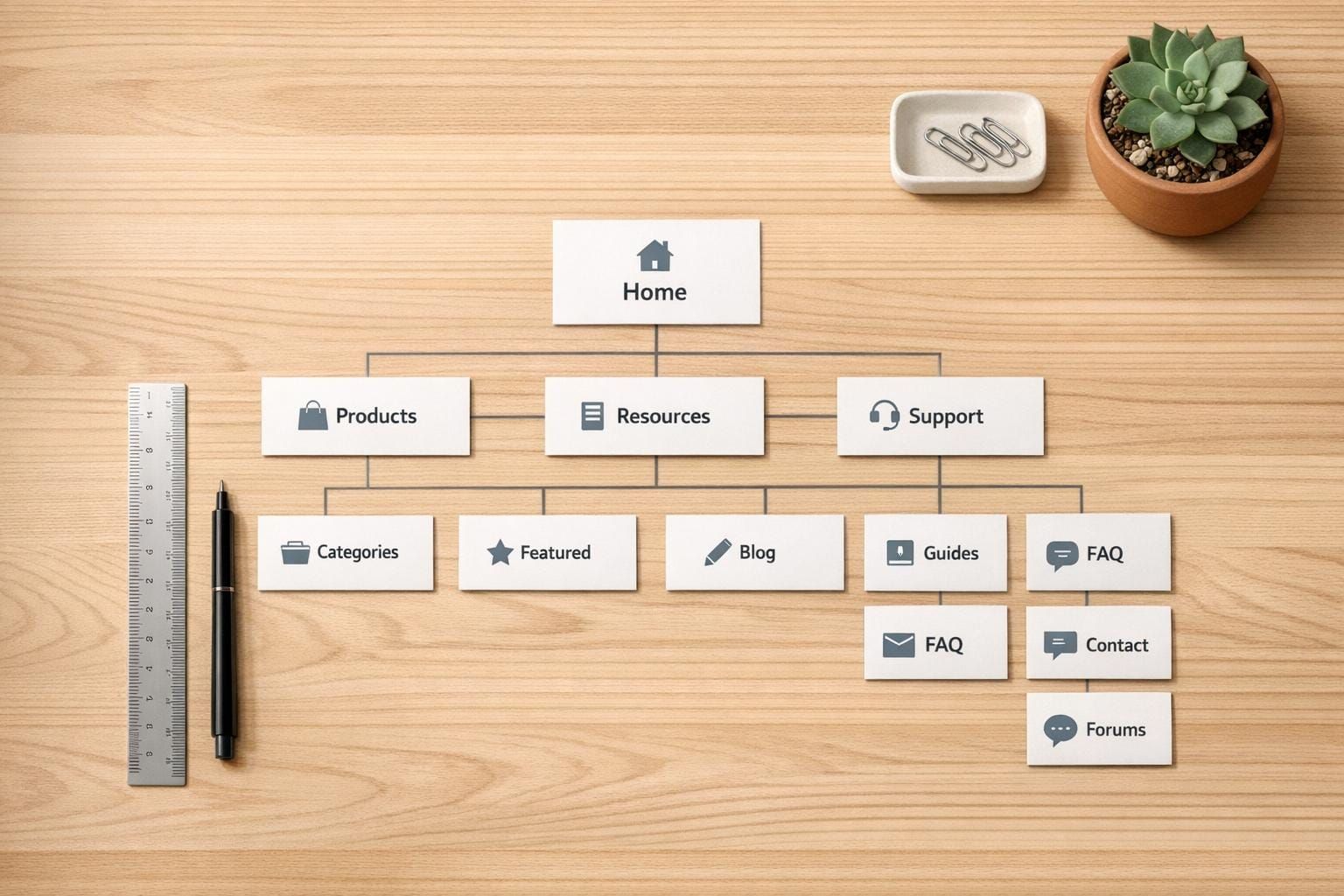
Design Better User Experiences with an Information Architecture Planner
Creating a website or app that users love starts with a solid foundation. A well-thought-out structure ensures visitors can find what they need without frustration. That’s where a tool for planning information architecture comes in handy. It’s like a blueprint for your digital project, mapping out how pages connect and how users move through your content.
Why Structure Matters in UX
Think about the last time you got lost on a poorly designed site. Annoying, right? A clear hierarchy prevents that by organizing content logically. With a UX-focused planning tool, you can define main sections, link subcategories, and sketch out critical paths—like guiding someone from a homepage to a purchase. This not only boosts usability but also keeps users engaged longer, which search engines notice too.
Visualize and Refine Your Ideas
The beauty of a digital planner for site structure is the ability to see your ideas take shape. You get a diagram that highlights relationships between sections, making it easier to tweak navigation for efficiency. Whether you’re a solo designer or part of a team, this approach saves time and ensures everyone’s on the same page. Try it out and watch complex projects become manageable!
FAQs
How does this tool help with UX design?
Great question! Our Information Architecture Planner takes the guesswork out of structuring your website or app. You input details like categories, subcategories, and user flows, and it organizes everything into a clear hierarchy. The visual output—a sitemap or flowchart—makes it easy to spot gaps or inefficiencies in navigation. Plus, the short explanation of the structure’s logic helps you understand why certain connections work better for user experience. It’s like having a UX consultant at your fingertips!
Can I export the sitemap for client presentations?
Absolutely, we’ve got you covered. Once your sitemap or flowchart is ready, you can export it as an image or PDF with just a click. It’s formatted to look professional, so it’s perfect for sharing with clients or team members during presentations or reviews. You’ll save time on manual diagramming and still deliver a polished result that communicates your vision clearly.
Is this tool suitable for beginners in UX design?
Yes, it’s designed for everyone, from beginners to seasoned pros. If you’re new to UX, the tool guides you through the process with simple inputs—no jargon or complex steps. You just add your categories and flows, and it does the heavy lifting of organizing them. For more experienced designers, it’s a quick way to prototype structures and test ideas without getting bogged down in manual work. Give it a try; it’s pretty intuitive!