
AI in Role-Based UX: Customizing SaaS Experiences
AI tailors SaaS interfaces by role using ML, NLP, and predictive analytics to simplify workflows, boost adoption, and protect user control.

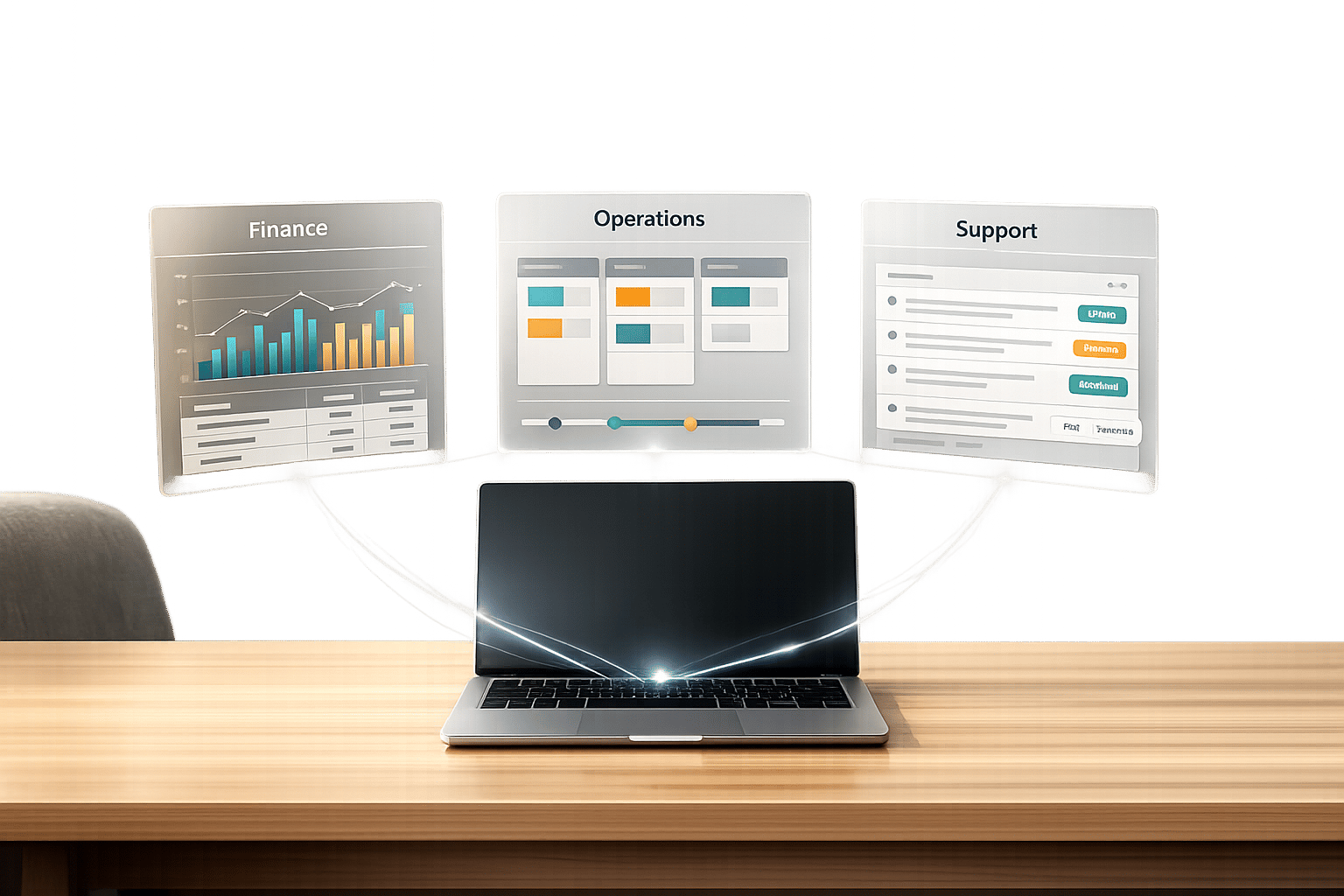
AI is transforming SaaS user experiences by tailoring interfaces to specific roles like admins, managers, and end-users. This approach simplifies workflows, reduces clutter, and improves satisfaction by focusing on what each user actually needs. Here’s how AI makes this possible:
- Machine Learning: Tracks user behavior to prioritize relevant features and refine interfaces over time.
- Natural Language Processing (NLP): Enables role-specific interactions through plain language commands and empathetic responses.
- Predictive Analytics: Anticipates user needs, automates repetitive tasks, and suggests next steps.
The results? SaaS platforms report up to a 47% increase in user retention, 33% higher customer lifetime value, and faster adoption of features. Tools like Salesforce Einstein, Intercom's Resolution Bot, and Adobe Sensei are leading the way, offering personalized dashboards, task automation, and 24/7 AI-driven support.
But challenges like data privacy and balancing automation with user control remain. Solutions include offering manual overrides, setting high confidence levels for AI triggers, and ensuring transparency in recommendations. AI in role-based UX is reshaping how users interact with SaaS platforms - making tools simpler, smarter, and more effective for every role.
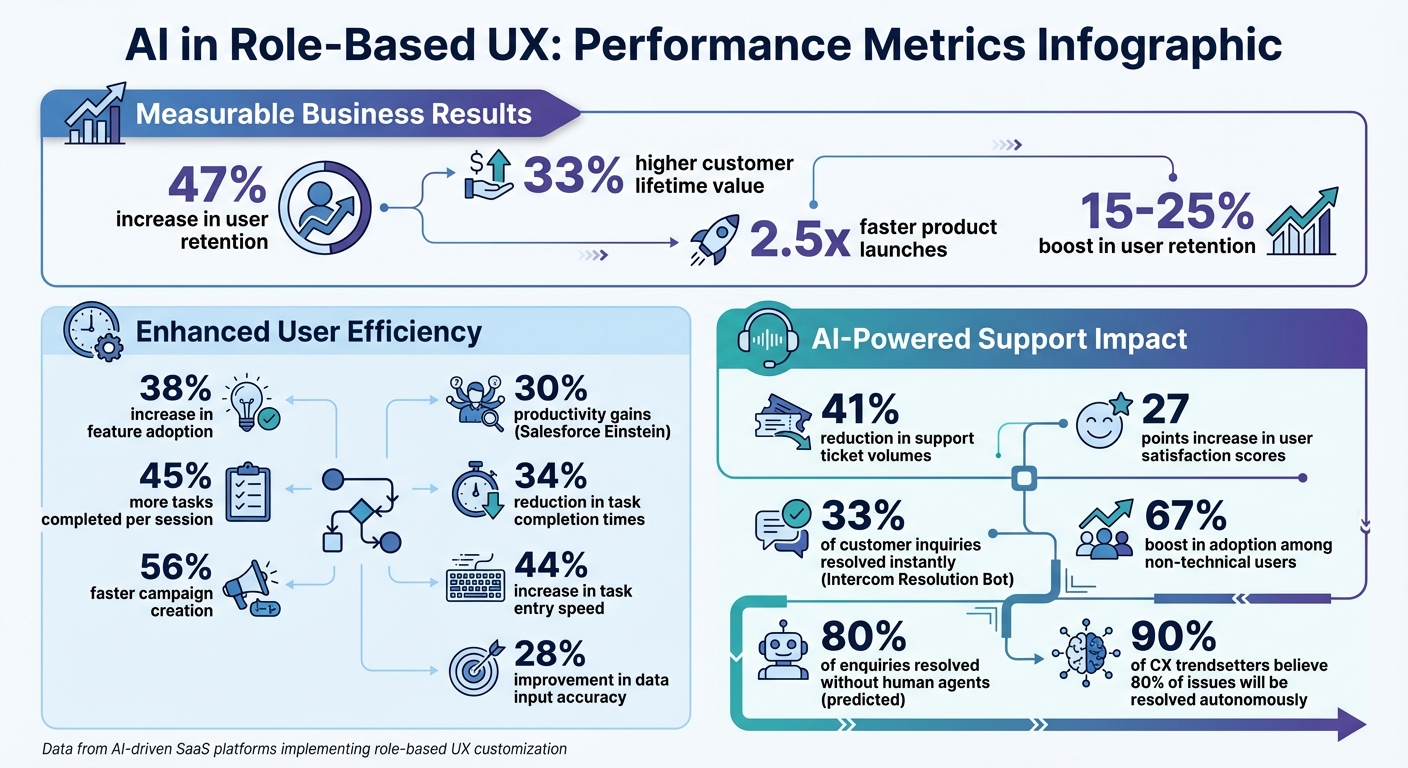
AI-Driven Role-Based UX: Key Performance Metrics and Benefits
AI Technologies That Power Role-Based UX
Three main AI technologies work together to transform static SaaS interfaces into tailored, role-specific experiences: machine learning, natural language processing (NLP), and predictive analytics. These technologies help platforms understand user behavior, interpret needs, and provide personalized, real-time experiences.
Machine Learning for Behavior Analysis
Machine learning tracks and analyzes user interactions - like clicks, navigation paths, and time spent on tasks - to uncover patterns that reflect how different roles engage with the platform. By categorizing users based on these patterns, the system can prioritize features relevant to specific roles while hiding less critical or advanced options. Over time, machine learning continuously refines the interface by processing user performance metrics and behavior.
For example, if a sales manager frequently checks pipeline reports on Monday mornings, the interface might adapt to highlight those metrics. Meanwhile, individual sales reps might see task tracking tools more prominently. This adaptive design has been shown to increase feature adoption by 38% and reduce design-to-deployment timelines by as much as 50–70%. Parth G, Founder of Hashbyt, captures this shift perfectly:
"AI-driven UI/UX design represents a fundamental shift from reactive to predictive design methodologies".
Beyond behavior analysis, AI also enhances communication through NLP.
Natural Language Processing for Role-Specific Interactions
NLP allows users to interact with the platform using plain language, making advanced tools easier to adopt. By understanding context, NLP delivers tailored assistance that aligns with each user’s unique needs. A great example is Intercom's Resolution Bot, which instantly resolves 33% of customer inquiries by understanding conversation context and user history. Similarly, SaaS platforms using conversational task creation have seen a 44% increase in task entry speed and a 67% boost in adoption among non-technical users.
NLP also detects user frustration through subtle cues like typing speed, enabling the interface to adjust its tone to be more empathetic or escalate issues to a human agent when necessary. Offering both conversational and traditional interfaces ensures flexibility: power users may prefer direct controls, while beginners benefit from guided interactions.
Building on these communication insights, predictive analytics takes personalization one step further by anticipating user needs.
Predictive Analytics for Anticipating Role Needs
Predictive analytics personalizes the experience by forecasting user actions before they’re requested. By analyzing historical behavior, the system can predict next steps, cutting task completion times by 34%. It can also proactively identify and address potential issues, such as project delays or system outages, by monitoring trends and historical data.
For repetitive workflows, predictive analytics identifies processes that can be automated or streamlined with shortcuts, enhancing efficiency for specific roles. AI-assisted features like content generation and pre-filled fields not only save time but also improve data input accuracy by 28%. To ensure predictions remain relevant, platforms typically set confidence thresholds above 70%.
As Payan.design emphasizes:
"Intelligence without clarity slows adoption. AI in UX design is not about adding automation to interfaces. It is about structuring experiences that make intelligence understandable, usable, and credible".
sbb-itb-124fdbf
Benefits of AI-Driven Role-Based UX
AI technologies are transforming static user interfaces into dynamic, role-specific experiences. These tailored designs align with individual workflows, helping users spend less time searching for features and more time focusing on their tasks.
Personalized Dashboards and Workflows
AI-powered machine learning customizes dashboards based on the unique needs of each role. For example, a sales manager might see pipeline summaries and team metrics, while individual sales reps are presented with task lists and customer follow-ups - all automatically configured without manual input.
Salesforce Einstein is a great example of this in action. By adapting dashboards and suggesting predictive "next steps", it has helped users achieve productivity gains of up to 30%. Additionally, users report completing 45% more tasks per session when the interface prioritizes tools relevant to their role. Mayursinh Jadeja from Redlio Designs highlights this shift:
"The standard for SaaS user experience trends is rising fast. AI in SaaS redefines what 'intuitive' looks like, bringing efficiency and anticipation to the user's workflow".
By streamlining interfaces and hiding unnecessary features, AI significantly reduces cognitive load, enabling users to concentrate on their core responsibilities.
Task Automation and Time Savings
AI doesn't just customize workflows - it also automates repetitive tasks. Predictive insights anticipate user needs, reducing the time spent on routine activities. For instance, CRM systems using AI-driven suggestions have cut task times by 34% and sped up campaign creation by 56%. Sales teams leveraging this technology report productivity boosts of up to 30%.
The system achieves this by analyzing past behaviors to predict the next steps, such as pre-filling fields or surfacing relevant tools. For example, if a user routinely generates reports on Mondays, the AI can draft a preliminary version, saving time on manual setup. Automated workflows reduce repetitive task time by 38%, while conversational task entry - using natural language instead of forms - improves task creation speed by 44%.
AI also identifies opportunities to replace manual steps with one-click automations or custom keyboard shortcuts, tailored to specific roles. By setting confidence thresholds above 70-80%, the technology ensures high-quality suggestions without disrupting users.
Better Support with AI Chatbots
AI chatbots, powered by natural language processing and predictive analytics, offer role-specific guidance while decreasing reliance on human support teams. This approach reduces support ticket volumes by 41% and boosts user satisfaction scores by 27 points.
These chatbots go beyond basic scripted responses. They use sentiment analysis to assess a user's emotional state and adjust their tone accordingly. For instance, if a user appears frustrated - evidenced by rapid clicking or repeated errors - the interface can simplify options or escalate the issue to a human agent. Tom Eggemeier, CEO of Zendesk, forecasts a significant shift:
"80% of all enquiries will be resolved without the help of a human agent".
For specific roles, AI agents handle tasks like password resets for IT, policy questions for HR, and personalized product recommendations for sales based on purchase history. This results in 24/7 autonomous resolution that scales support without increasing staff. In fact, 90% of CX trendsetters believe that 80% of customer issues will soon be resolved without human involvement.
AI Tools for Role-Based UX Customization
Specialized AI tools are transforming the way UX designers work, slashing design timelines by half and speeding up product launches by 2.5x. Here’s a look at three standout tools that bring AI-driven customization to life.
QoQo.ai for Adaptive Interfaces
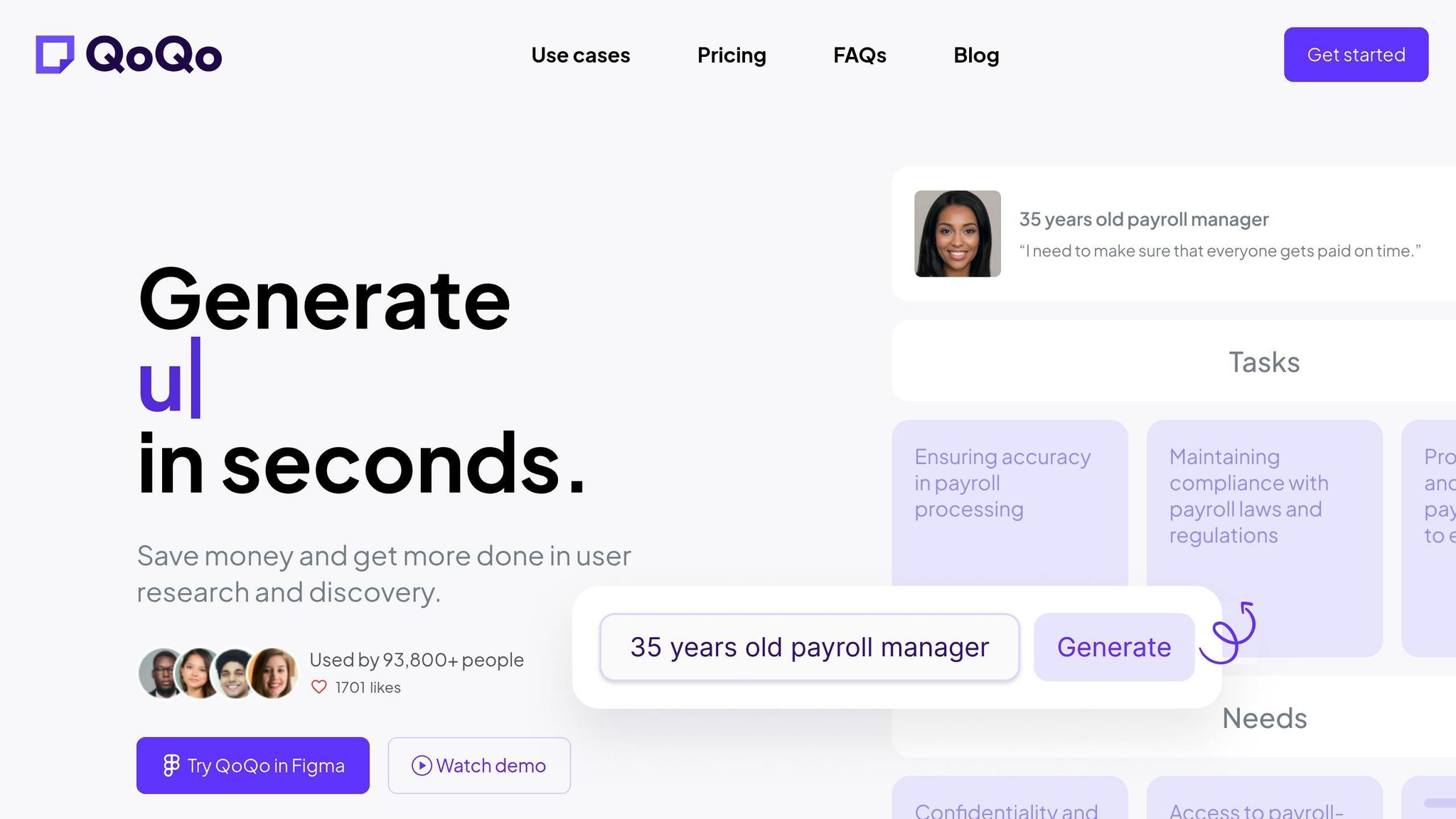
QoQo.ai is a Figma plugin designed to streamline UX research. It uses AI to create user personas, journey maps, and information architecture from just a brief product description - no more placeholder content in the early design stages. Powered by OpenAI, the tool also integrates de-biasing models to minimize cultural biases in its outputs.
Currently, over 93,800 professionals rely on QoQo.ai for user research. One of its standout features is its ability to generate detailed persona cards tailored to specific roles. For instance, instead of a generic "admin" persona, it can distinguish between an IT administrator focused on security and an operations manager prioritizing workflow efficiency. This level of precision allows for highly customized UX designs. Pricing starts at $4/month for the Professional plan, which includes unlimited personas, journey mapping, and a chat assistant.
Maze for UX Testing and Feedback
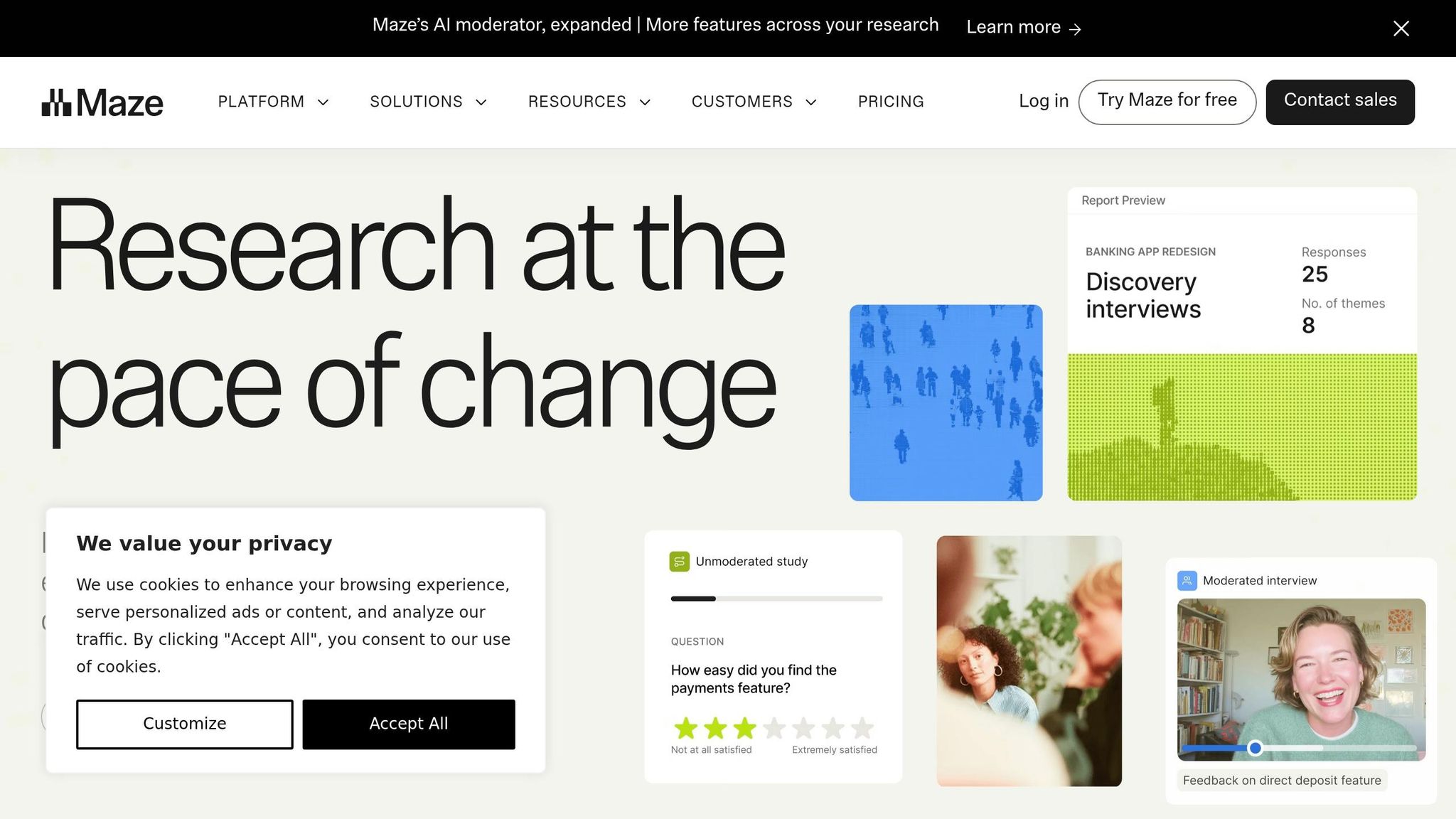
Maze simplifies feedback analysis, helping designers create role-specific designs by leveraging AI for user interviews and testing. Its AI moderator conducts interviews at scale, while sentiment tagging and thematic analysis pinpoint pain points unique to different user roles. For example, it helps teams understand how a warehouse manager might interact with an interface differently than an executive.
Seamlessly integrating into existing design workflows, Maze offers a free plan, with custom pricing for enterprise solutions. By automating user session analysis, the tool highlights behavioral patterns across various roles, enabling designers to prioritize the most impactful interface adjustments.
Adobe Sensei for Smart Design Recommendations
Adobe Sensei takes personalization to the next level within the Adobe Experience Cloud, offering predictive insights and automated content customization. In fact, over 80% of Adobe Experience Cloud customers already use its AI-driven features. Key tools like Customer AI provide propensity scoring to predict which user roles are most likely to engage with specific features, while Personalized Offer Ranking determines the next best action based on real-time intent signals.
Included with Adobe Creative Cloud subscriptions starting at $20.99/month, Adobe Sensei offers immense value. Suman Basetty from Adobe highlights its potential:
"AI innovations like generative AI, AI modeling, and AI-powered predictions can help brands quickly and meaningfully personalize and scale digital experiences for their customers' evolving preferences".
For B2B SaaS platforms, the Adobe Journey Optimizer B2B Edition adds another layer of customization. It creates role-specific messaging based on user interests and journey stages, ensuring that communication aligns with the actual product offerings. Teams can even upload product knowledge bases to train generative models, making the messaging highly relevant and specific.
Best Practices for Implementing AI in Role-Based UX
When incorporating AI into role-based UX, it's essential to keep the user experience intuitive while allowing for dynamic personalization. Establishing role-specific defaults lays the groundwork for effective AI-driven enhancements.
Start with Role-Based Defaults
Before diving into complex machine learning, focus on creating preconfigured UX layouts tailored to specific roles using rule-based logic. For example:
- Admins: Highlight security controls and system settings.
- Sales Managers: Emphasize pipeline metrics and sales insights.
- End Users: Prioritize tools for daily tasks and workflows.
By aligning these defaults with actual job functions, such as ensuring an IT administrator sees security features while an operations manager accesses workflow tools, users start with a tailored experience immediately. Once these foundational settings are in place, AI can refine the experience further by adapting to individual behaviors over time.
Track User Behavior and Adapt Continuously
Continuously monitor how users interact with the interface to make informed adjustments. Track patterns like feature usage, interaction frequency, and behavior trends to implement progressive disclosure. This ensures advanced features are only introduced when they are relevant. For instance, if a user frequently uses basic reporting tools but avoids advanced analytics, the system can keep complex options hidden until their behavior indicates readiness.
Additionally, track subtle indicators like scroll speed, click hesitation, typing accuracy, and error rates to identify potential frustration or confusion. SaaS platforms using these methods have reported a 47% increase in user retention compared to static interfaces. By 2026, 32% of designers identified real-time interface adaptation as the most influential trend, up from 10% in 2024. To measure the effectiveness of these adjustments, log AI events (e.g., "suggestion shown", "accepted", "dismissed") to evaluate return on investment. This ongoing analysis helps maintain a balanced level of automation that supports user empowerment.
Balance Automation with User Control
AI should enhance the user experience without taking away control. Design systems to offer data-driven suggestions while ensuring users remain in charge of decisions. Key practices include:
- Manual Overrides: Allow users to bypass or undo automated suggestions with ease.
- Confidence Thresholds: Set AI triggers to high confidence levels (above 80%) to avoid unnecessary or intrusive recommendations. For example, if a user dismisses the same suggestion three times, stop showing it to preserve trust.
- Stable Mode: Offer a setting to disable dynamic layout changes for users who prefer consistency or have cognitive challenges like ADHD.
Providing context for AI actions can also foster trust. For instance, include confidence scores or notes like, "Based on your last 30 days of usage", to explain why a recommendation was made. When users understand the reasoning behind suggestions, they’re more likely to embrace automated features. Ensure all AI-driven actions are reversible through tools like inline editing, quick toggles, or re-run options.
Challenges and Solutions in AI-Driven Role-Based UX
Using AI to tailor role-based user experiences in SaaS platforms comes with its own set of obstacles, particularly around data privacy and usability. Addressing these issues is essential for creating systems that users not only trust but also enjoy using.
Data Privacy and Security Concerns
AI personalization relies on collecting and analyzing vast amounts of user data, which can lead to privacy risks. With more SaaS companies adopting AI, the potential for data breaches grows, especially under strict regulations like GDPR in Europe and CCPA in the U.S.
To mitigate these risks, start by securing explicit user consent before gathering behavioral data. Offer opt-out options and anonymize datasets to protect identities. When presenting AI-driven recommendations, use straightforward explanations like "Based on your recent activity" rather than referencing specific data points, which could make users feel overly monitored. These steps help balance personalization with user privacy.
Another challenge is algorithmic bias. AI models can unintentionally reinforce biases in their training data, potentially excluding certain user groups. To address this, diversify training datasets and perform regular bias audits to promote fairness. Notably, the Australian AI market is expected to grow significantly, reaching over $16.15 billion by 2031 with a 26.25% CAGR, highlighting the global importance of ethical AI practices.
Balancing Complexity with Simplicity
AI systems often become overwhelming when they attempt to handle too much. If recommendations are unclear or overly complex, users can lose trust and hesitate to adopt the technology. As Payan Design aptly puts it:
"Intelligence without clarity slows adoption".
To counter this, incorporate explainability features that clarify the rationale behind AI suggestions. For example, adding a "Why am I seeing this?" tooltip can boost user confidence. Set high confidence thresholds (above 80%) for automated suggestions to avoid irrelevant or unhelpful recommendations. Features like a "Stable Mode" toggle can also give users control over layouts and interactions. Always provide manual fallback options so users aren’t left stranded if the AI fails to deliver accurate results. Keeping AI logic simple aligns with user-centered design principles and enhances trust.
Maintaining Human-Centered Design Principles
The push to integrate AI can sometimes overshadow core UX principles. While 73% of customers expect personalized interactions in 2024, it’s crucial not to compromise user autonomy. The World Economic Forum highlights the importance of:
"Transparency, fairness, and explainability directly influence user confidence and regulatory compliance".
One way to maintain these principles is by adopting a human-in-the-loop approach, where users review and approve AI suggestions. This method respects user expertise and prevents AI from making critical decisions on its own. Track AI interactions separately, such as "suggestion accepted" versus "dismissed", to evaluate its performance without conflating it with broader product analytics.
AI should complement, not replace, human input. For repetitive tasks like transcription or data clustering, automation works well, but nuanced design decisions should remain in human hands. As Payan Design explains:
"AI in UX design is not about adding automation to interfaces. It is about structuring experiences that make intelligence understandable, usable, and credible".
Conclusion: The Future of AI in Role-Based UX
AI is reshaping how SaaS platforms operate, turning static interfaces into role-specific, dynamic experiences. The impact is already clear: SaaS platforms using AI-driven UX are launching up to 2.5 times faster. Beyond speed, personalization powered by AI boosts user retention by 15–25% and increases feature adoption by 30%.
Looking ahead, AI integration in UX is set to become even more seamless. Generative AI will create custom interfaces on the fly, while predictive analytics will anticipate user needs with greater accuracy. Systems that can interpret tone and sentiment will emerge, alongside multimodal UX that lets users interact through voice, gestures, and images. As Brinda Gulati from Userpilot points out:
"The real challenge and opportunity is to make AI serve people in ways that are transparent, inclusive, and grounded in proven UX concepts".
To make AI work effectively in role-based UX, it's crucial to set clear boundaries for its use. Design recovery paths like editable drafts and retry buttons, and incorporate lightweight feedback loops to refine how AI makes suggestions. Simple cues, such as "Based on your last 30 days of usage", can make AI's actions more explainable. Additionally, opt-in/opt-out toggles give users control over how AI interacts with their workflows. These steps are essential for building trust and creating intuitive systems.
Start with tailored defaults and reveal features progressively to minimize cognitive overload. Keep human oversight in critical workflows. As Payan Design emphasizes:
"AI should enhance decision-making - not obscure accountability".
FAQs
What data does AI need to personalize UX by role?
AI systems need details about a user's role and their specific needs to customize the user experience effectively. Instead of depending entirely on behavioral tracking, this information can be collected by directly asking users. This approach not only ensures more precise personalization but also respects user privacy.
How do you stop AI personalization from feeling intrusive or confusing?
To make AI-driven personalization feel approachable rather than intrusive, it's important to focus on transparency, user control, and respectful data practices. Instead of gathering unnecessary data, try role-based personalization - simply ask users about their role or how they plan to use your product.
Be upfront about how AI tailors the experience. Clear explanations and the option to opt out give users a sense of control, which helps build trust. Striking the right balance between automation and user choice ensures personalization feels useful, not overbearing, increasing both satisfaction and loyalty.
What’s the safest way to roll out AI-driven role-based UX in a SaaS app?
The best way forward is to take things step by step, focusing on building user trust and safeguarding data privacy. Begin with a pilot test involving a small group of users. This helps evaluate how accurate the AI is and allows you to gather valuable feedback early on.
Be upfront about how user data is used to improve experiences, and make sure robust privacy and security measures are in place to protect that data. From there, you can gradually roll out the AI to a larger audience. Keep an eye on how it performs, fine-tune the algorithms based on user input, and consistently update users about changes and benefits. Clear communication is key to maintaining trust throughout the process.