
Best Practices for Cross-Platform File Sharing Security
E2EE, MFA, access controls and vigilant policies are essential to secure cross-platform file sharing.

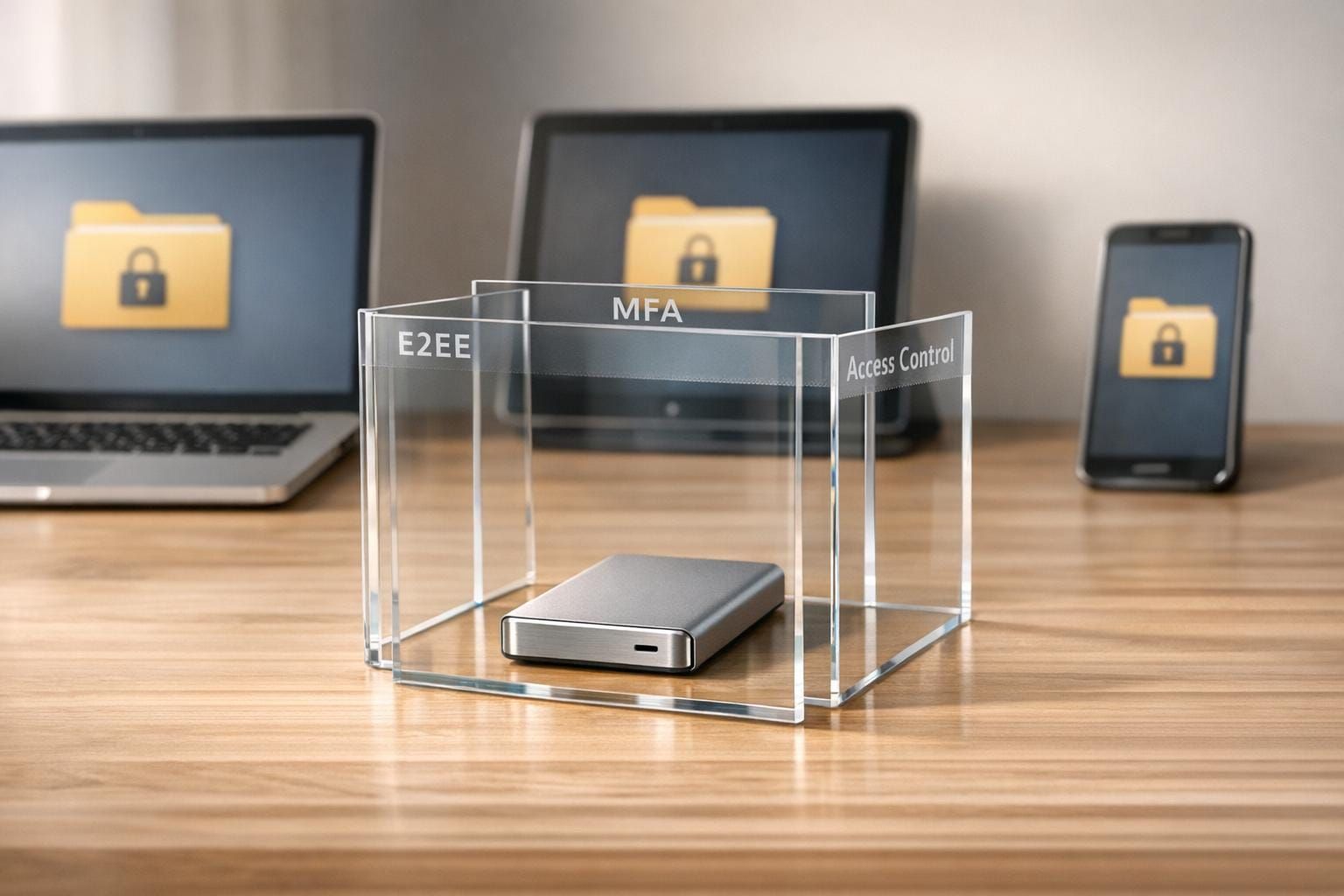
Sharing files across platforms is convenient but risky. Without proper security measures, your data could fall victim to malware, insider threats, or interception during transfer. This guide offers actionable tips to secure your file-sharing practices and protect sensitive information.
Key Takeaways:
- Encryption is critical: Use end-to-end encryption (E2EE) and secure protocols like TLS 1.3 and SFTP.
- Multi-factor authentication (MFA): Adds an extra layer of protection, blocking over 99% of automated attacks.
- Secure tools matter: Choose platforms with Zero-Knowledge Architecture, audit trails, and instant link revocation.
- Access control: Limit file access based on roles and set link expirations.
- Stay updated: Regularly patch software and devices to reduce vulnerabilities.
Pro Tip: Train your team on phishing awareness and enforce clear policies to minimize human error. Security isn't just about tech - it's about how people use it.
Cross-Platform Security Challenges
Common Security Threats
Sharing files across platforms introduces a host of serious risks. Malware and ransomware are among the most pressing concerns. Malicious files can easily cross operating system boundaries, and ransomware can wreak havoc by encrypting critical data and threatening to expose it unless a ransom is paid.
Then there’s the issue of shadow IT - when employees use unsanctioned tools for file sharing. A staggering 83% of IT staff admit to relying on unauthorized tools, but only 8% of enterprises fully grasp the scope of these practices. To make matters worse, one-third of successful cyberattacks target these unapproved resources. When employees turn to personal accounts or consumer-grade apps, IT teams lose track of where sensitive data is being shared.
Another significant risk is Adversary-in-the-Middle (AITM) attacks, where hackers intercept unsecured file transfers to steal, modify, or read sensitive information. On top of that, "forgotten links" pose a quieter but equally dangerous threat. These are file transfer links that remain active long after they’re no longer needed, leaving sensitive data exposed in unmanaged repositories. Insider threats - whether intentional or accidental - add another layer of risk, as employees with legitimate access can inadvertently share data through insecure channels.
These examples highlight the critical need for effective security measures, which we’ll discuss in the next section.
Compatibility and Encryption Problems
The diversity of operating systems complicates encryption efforts. Fragmentation is especially problematic on platforms like Android, where customizations by manufacturers make it difficult to maintain consistent encryption standards. While some systems support advanced protocols like TLS 1.3, others rely on outdated and less secure versions. When encryption fails, users often resort to risky workarounds, further weakening security.
Network infrastructure also plays a role. Routers and firewalls frequently block direct peer-to-peer connections between different systems, forcing file-sharing tools to use relay servers. Some tools even require users to disable firewalls or open ports, which can expose entire networks to attacks. Legacy systems running outdated software - such as Android versions below 8.0 - often lack support for modern encryption standards or socket APIs, forcing them to use weaker protocols.
Misconfigured permissions are another weak point, leaving approximately 20% of sensitive company files exposed. When enterprise tools fail to work seamlessly across multiple devices, employees often bypass them altogether, further fueling the shadow IT problem and increasing security risks.
Recognizing these challenges is a vital step toward implementing the security solutions outlined in the next section.
Best Practices for Secure File Sharing
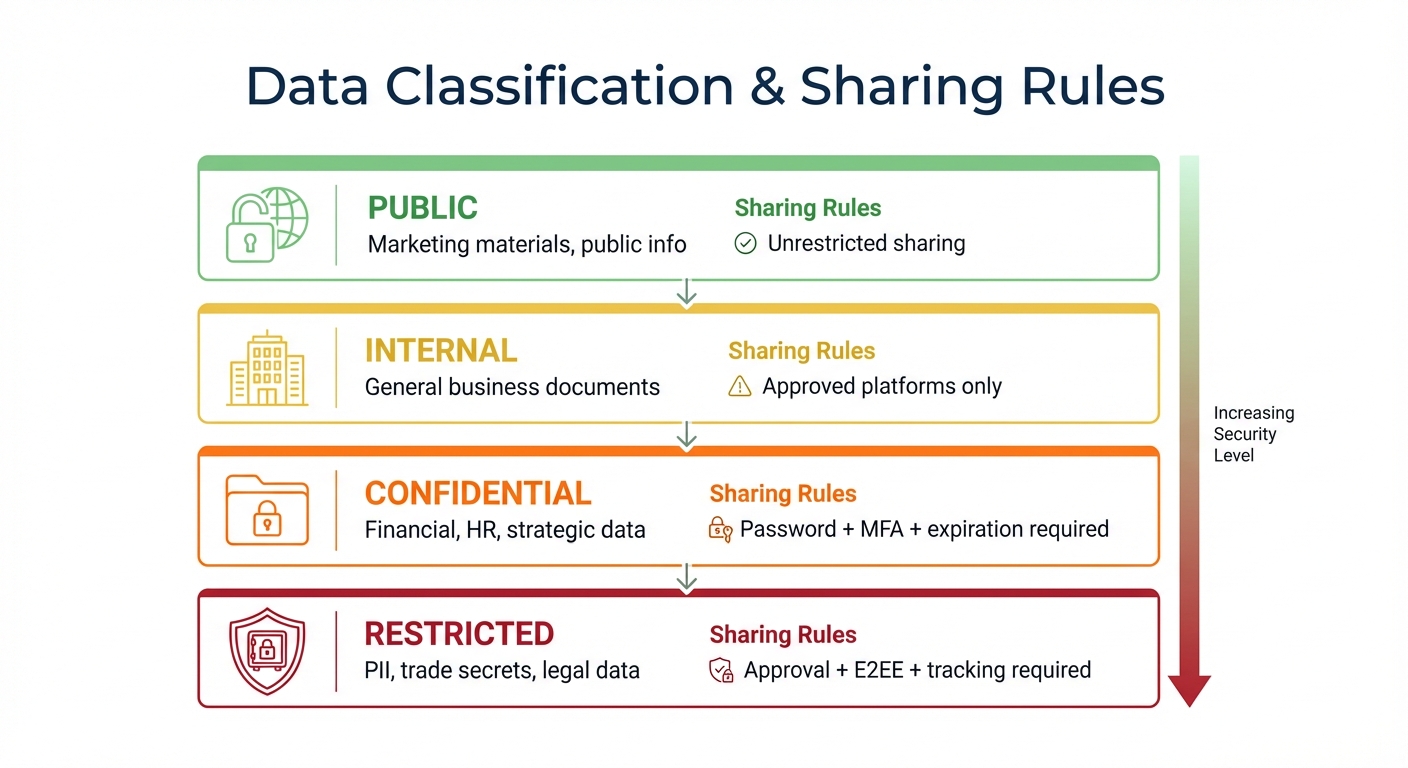
Data Classification Tiers and File Sharing Security Rules
When dealing with sensitive files, following these practices can help reduce risks and protect your data.
Use End-to-End Encryption
End-to-end encryption (E2EE) ensures your files are protected from the moment they leave your device until they reach the intended recipient. With this approach, even the service provider can't access your data, thanks to what's called Zero-Knowledge Architecture. This means the provider doesn't store your encryption keys, making it impossible for them to decrypt your files.
To maximize security, apply encryption at two stages: encrypt files during transfer using TLS 1.3 and secure them at rest with AES-256 encryption. For added protection, encrypt files locally using tools like GPG or VeraCrypt before uploading them to any cloud service. You can also limit the lifespan of shared links - set them to expire within 24–48 hours for sensitive files or up to seven days for less critical ones. This reduces the risk of exposure if the link is compromised.
Implement Multi-Factor Authentication
Adding multi-factor authentication (MFA) to your file-sharing process creates an extra layer of security. MFA requires users to verify their identity in more than one way, blocking 99.9% of automated attacks. Even if login credentials are stolen, MFA significantly reduces the likelihood of unauthorized access.
Not all MFA methods are equally secure. Avoid SMS-based codes, which can be intercepted. Instead, opt for authenticator apps or hardware security keys that meet phishing-resistant standards like FIDO2 and WebAuthn. For highly sensitive files, consider requiring MFA at the file level, adding an extra step of verification before granting access.
Choose Secure File Sharing Tools
The right tools can make a big difference in secure file sharing. Look for platforms that use TLS 1.3 during data transfer and adopt Zero-Knowledge Architecture to ensure your encryption keys remain private. Features like audit trails, which log who accessed or downloaded a file, are crucial for meeting compliance standards such as GDPR, HIPAA, and SOC 2.
Classify your data into tiers and apply appropriate sharing rules:
| Data Classification | Description | Sharing Rules |
|---|---|---|
| Public | Marketing materials, public info | Unrestricted sharing |
| Internal | General business documents | Approved platforms only |
| Confidential | Financial, HR, strategic data | Password + MFA + expiration required |
| Restricted | PII, trade secrets, legal data | Approval + E2EE + tracking required |
Modern tools often allow instant revocation of shared links, a feature that traditional email attachments lack. Many of these platforms also integrate seamlessly with tools you already use, like email clients and office scanners, making secure sharing more convenient.
Keep Systems Updated and Patched
Outdated software can leave your system vulnerable to attacks. Regular updates address known security flaws, reducing risks by up to 85%. Keeping your systems current also ensures compatibility with modern encryption standards.
Use automated patch management tools to streamline updates across operating systems and file-sharing applications. Don't forget to update network devices like routers, which play a role in file transfers. Conduct quarterly system reviews to confirm everything is up to date.
"The primary purpose of secure file sharing is to safeguard sensitive information from unauthorized access and potential cyber threats." - Robert Dougherty, Kiteworks
Set Up Access Controls
Applying the Principle of Least Privilege (PoLP) ensures users only have access to the files they need. Define roles such as Admin, Power User, User, and Read-Only, and set permissions for each (e.g., view, download, edit). Organizations using Role-Based Access Control (RBAC) have seen a 34% decrease in data breaches.
Other important practices include:
- Setting shared links to expire automatically.
- Limiting the number of downloads for sensitive files.
- Requiring managerial approval for external sharing of critical documents.
For centralized user management, integrate file-sharing tools with systems like Active Directory or LDAP. Enable remote wipe capabilities through Mobile Device Management (MDM) to erase sensitive files if a device is lost or stolen. Additionally, limit login attempts to three to five tries to prevent brute-force attacks.
Before sharing sensitive links, verify the recipient's identity through a separate, secure channel like a phone call or encrypted text. And never use public Wi-Fi for file sharing without a VPN - 86% of public Wi-Fi connections lack encryption, making them a risky choice.
Protocols and Tools for Secure File Sharing
Secure File Sharing Protocols Explained
Choosing the right protocol is a cornerstone of secure file transfers. SFTP (SSH File Transfer Protocol) stands out by encrypting both commands and data using Secure Shell, making it a go-to for system-to-system transfers and partnerships. Its use of a single port (usually port 22) simplifies firewall configurations and minimizes security risks. For example, healthcare organizations transitioning from FTP to SFTP saw an 85% drop in HIPAA violation risks.
FTPS (FTP over SSL/TLS) adds encryption to FTP but requires multiple ports, which complicates setups involving firewalls and NAT. HTTPS, on the other hand, is the standard for web-based file sharing, offering ease of use across browsers without special software. In fact, 95% of websites indexed by Google now rely on HTTPS. For retail and business-to-business EDI transfers, AS2 employs digital certificates and S/MIME encryption to keep data secure.
Managed File Transfer (MFT) solutions take these protocols further by combining them into a single platform. They offer automation, granular access controls, and detailed audit trails - features often missing in traditional methods. Meanwhile, Zero Trust File Transfer is gaining traction, emphasizing continuous authentication for every access attempt, replacing the outdated "trust but verify" model.
Now, let’s look at some of the tools that bring these protocols to life for secure, cross-platform file sharing.
Top Security Tools for Cross-Platform Sharing
SFTPGo integrates seamlessly with both local and cloud storage (including S3, Azure, and Google Cloud) while supporting SFTP, FTPS, WebDAV, and HTTPS. Its event-driven automation engine offers over 50 built-in functions, from PGP encryption to file routing, and even supports post-quantum cryptography. Cerberus FTP Server, highly rated on G2 and Capterra (4.8/5), is tailored for secure on-premises deployments in Windows Server environments. It boasts FIPS 140-3 validation and supports FTPS, SFTP, HTTPS, and SCP.
For client-side transfers, SecureFX provides a consistent interface across Windows, macOS, and Linux. It supports SFTP, FTPS, HTTPS, and SCP while meeting FIPS 140-2 compliance and offering smart card authentication. CrushFTP, compatible with any system running Java 8+, features "ZipStreaming" for faster transfers and built-in DDoS protection.
According to Nils from Ixmal.no, their CrushFTP server has been "working flawlessly 24/7 for close to 8 years now", handling between 400,000 and 500,000 XML files daily.
When evaluating tools, prioritize features like multi-factor authentication (e.g., TOTP, Duo Security, or hardware smart cards), detailed per-user and per-directory permissions, and robust encryption standards such as TLS 1.3 for data in transit and AES-256 for data at rest. Tools with built-in audit logs and automated data retention policies are also essential for meeting compliance requirements like GDPR, HIPAA, and PCI-DSS without manual oversight.
Building a File Sharing Security Policy
A strong security policy isn't just about technology - it's about ensuring that these tools are used effectively and consistently across your organization. Even the most advanced systems can fail if clear policies aren't in place to guide human behavior and enforce best practices.
Define Roles and Responsibilities
Clearly defined roles are essential for avoiding confusion and ensuring accountability in file-sharing processes. Implementing Role-Based Access Control (RBAC) is a smart way to manage permissions. By tying access to job functions instead of individuals, you simplify adjustments when team members join, leave, or change roles. Access should always align with departmental needs.
Follow the principle of least privilege, granting users only the access necessary for their current responsibilities. Assign data classification owners to categorize files - such as Public, Internal, Confidential, or Restricted - and establish sharing rules for each category. Additionally, appoint incident response roles to handle detection, analysis, containment, and recovery during security breaches. You might also consider designating "security champions" in each department. These tech-savvy employees can mentor colleagues and promote secure file-sharing practices.
Regular reviews are crucial. Conduct quarterly audits to update permissions and ensure they reflect current needs. For highly sensitive data, automate workflows so external sharing requires manual approval by a manager.
Once roles are in place, the next step is ensuring compliance with legal and regulatory standards.
Meet Regulatory Compliance Standards
Non-compliance with regulations like GDPR can result in hefty penalties - up to €20 million or 4% of annual revenue. This makes meeting these standards not just a legal requirement but a financial necessity. Start by centralizing governance across all file-sharing platforms - email, MFT, SFTP, web forms - under a single, unified policy to eliminate gaps.
From a technical standpoint, require AES-256 encryption for data at rest and TLS 1.3 for data in transit. Multi-Factor Authentication (MFA) should be mandatory at all access points. Keep immutable audit trails that record every action - uploads, downloads, shares - to ensure a clear chain of custody during audits. For example, in 2025, BNP Paribas streamlined client onboarding by 50% by using encrypted client portals with full audit trails, satisfying compliance teams.
Implement automated data retention and deletion policies tailored to legal requirements. For industries like healthcare, ensure vendors provide Business Associate Agreements (BAA) and SOC 2 Type II certifications to meet HIPAA standards. Use geofencing to enforce data sovereignty by restricting access from certain regions or limiting access to approved corporate IP addresses. Consistently apply the same data classification rules mentioned earlier.
With compliance measures in place, the final step is empowering your team to follow these policies effectively.
Train Teams on Security Practices
Even the best policies are useless without proper training. A data breach can erode trust - 65% of consumers lose confidence in a business after such an incident. Employee education is critical not only for security but also for maintaining your brand's reputation.
Tailor training programs to specific roles. For example, executives should focus on protecting high-value targets, HR teams need to understand how to handle Personally Identifiable Information (PII), and legal teams should learn about privilege management. Develop an Acceptable Use Policy (AUP) that outlines approved platforms, prohibited actions (like using personal email for sensitive files), and the consequences of policy violations.
Regular training sessions should include topics like identifying phishing attempts, classifying data correctly, and knowing when to escalate suspicious activity.
"File sharing security is a serious issue for CISOs to think about proactively... laxity is one of the precipitating factors that eventually lead to a security incident." - Natasha Murphy, Lepide
Require employees to use VPNs when accessing files on public networks. Conduct quarterly phishing simulations to test awareness and identify areas needing improvement. Remember, security training isn’t a one-and-done task - it’s an ongoing effort to keep up with evolving threats and ensure your team stays informed.
Conclusion
Summary of Best Practices
Securing cross-platform file sharing is no longer optional - it’s a critical part of running a business. Studies show the staggering financial toll of breaches, making it clear that strong file-sharing security is essential. At the heart of any secure system are end-to-end encryption (E2EE) and multi-factor authentication (MFA) - two pillars that every organization should prioritize.
A Zero Trust Architecture is another key strategy. This approach operates on the principle of "never trust, always verify", requiring validation for every user and device. Combine this with granular access controls based on the principle of least privilege, ensuring users only interact with files relevant to their roles. Features like automated link expirations, download limits, and instant revocation further reduce risks.
However, technical measures alone aren’t enough. Human error plays a role in 95% of successful cyberattacks. That’s why employee training is just as important. Clear data classification systems - such as Public, Internal, Confidential, and Restricted - help teams apply the right security protocols to different types of information. Together, these measures lay the groundwork for a strong and resilient security strategy.
Stay Ahead of Security Threats
Beyond these practices, staying vigilant against new threats is crucial. Cybersecurity isn’t a “set it and forget it” task - it’s an ongoing process. As cybercriminals develop advanced techniques like man-in-the-middle attacks and social engineering, organizations must remain proactive. Emerging technologies like quantum computing are reshaping the landscape, pushing the industry toward Post-Quantum Encryption (PQC) with algorithms like CRYSTALS-Kyber.
"Security is not a destination but an ongoing journey of continuous improvement." – Security Team, Share Via WiFi
Regularly auditing file-sharing permissions and access logs can help identify outdated privileges that need to be revoked. Keeping systems updated and patched is another simple yet highly effective step, reducing security risks by as much as 85%.
FAQs
When should I use SFTP vs HTTPS for file sharing?
Use SFTP for secure file transfers when you need advanced features like directory browsing, setting permissions, or accessing files on remote servers. SFTP encrypts both the commands and the data, making it a reliable choice for transferring sensitive or large files, especially in business environments.
Opt for HTTPS when sharing files through web browsers or APIs. It's perfect for straightforward tasks like uploading or downloading files and works seamlessly with web-based applications.
What’s the easiest way to stop “forgotten links” from exposing files?
To keep files secure and avoid "forgotten links" from exposing them, use links with built-in expiration dates or short lifespans. These links automatically revoke access after a specific time, ensuring that shared content is only available temporarily. By doing this, you significantly reduce the risk of outdated links staying active and accessible when they shouldn't be.
How can I enforce secure sharing without creating shadow IT?
To tackle shadow IT and ensure secure sharing, it's essential to blend policies, technical safeguards, and user education. Start by using trusted platforms that offer robust security measures, such as encryption and access controls. Clearly define and communicate approved tools to minimize the temptation of using unapproved solutions.
Regular audits and monitoring play a key role in identifying shadow IT activities early. At the same time, educating users on secure sharing practices builds awareness and encourages compliance. This approach strikes a balance between protecting sensitive data and maintaining ease of use for employees.