
How to Decide When to Use Card Sorting
When to use card sorting to shape information architecture, pick open/closed/hybrid sorts, sample sizes, and alternatives like tree testing.

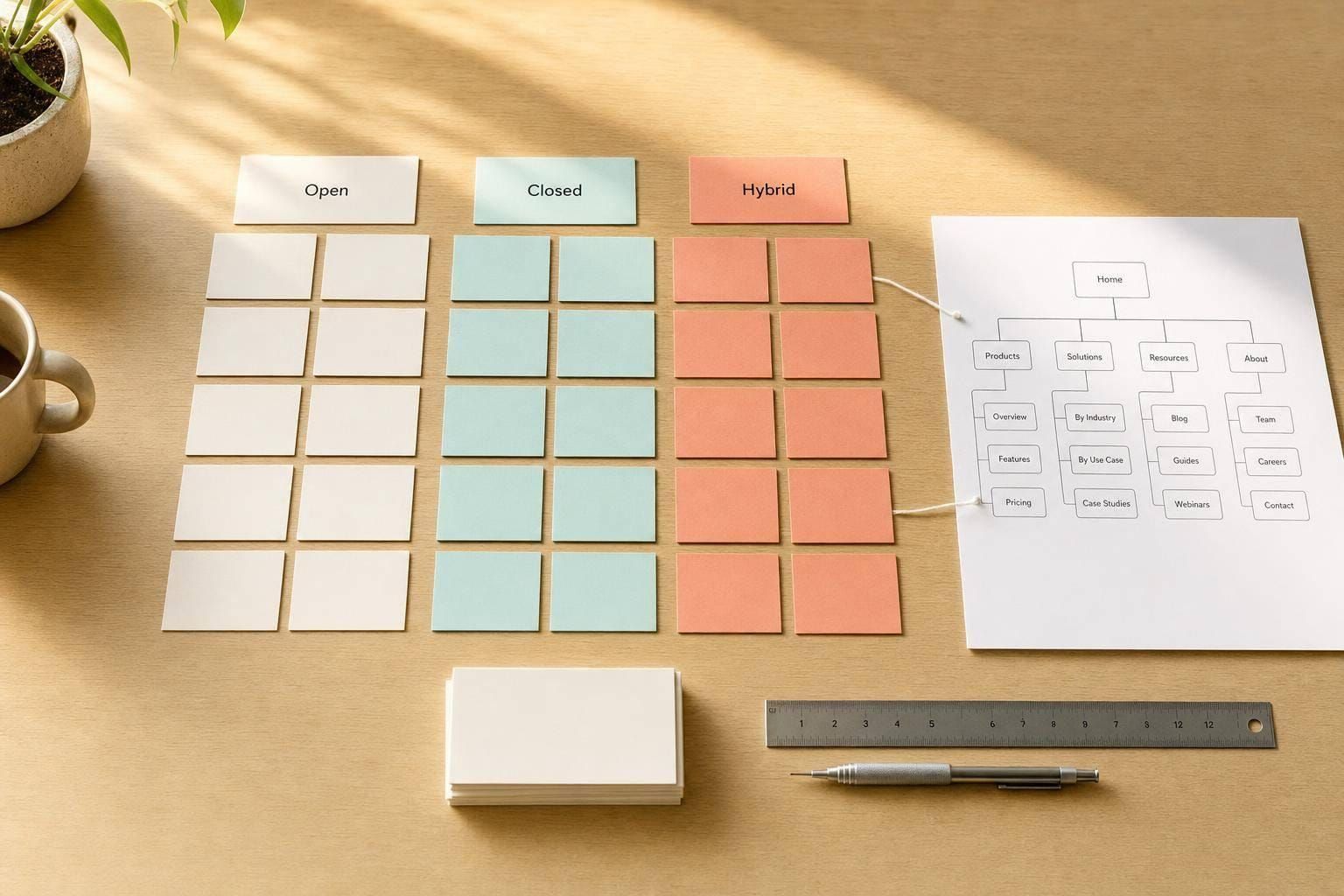
Use card sorting when your problem is about grouping, labels, or site structure - and skip it when your problem is about screens, flows, or visual design.
If I need to decide fast, I use a simple rule: card sorting fits when I’m shaping information architecture, have about 15 to 60 items to sort, and still have room to change the navigation. If I need to check whether people can find things in a menu, I’d use tree testing instead. If I need to learn why a page fails, I’d use usability testing.
Here’s the short version:
- Use it to group content, features, or topics
- Use it to check whether labels make sense to users
- Use it early, before navigation is locked
- Pick open sorting for new structures
- Pick closed sorting to check an existing structure
- Pick hybrid sorting when part of the structure is fixed
- Avoid it for task flows, page design, or deep multi-level navigation
- Avoid it when you have fewer than 15 items or more than 50–60 cards
- Plan for about 30–50 participants for quantitative studies, or around 15 people for qualitative sessions
A few fast signals matter too. If users keep leaning on search, stakeholders keep arguing about labels, or the IA grew one piece at a time, card sorting is often a good next step. But if compliance, system limits, or fixed navigation mean you can’t change the structure, I’d pass on it.
Bottom line: card sorting answers one question well: “How should this information be grouped?” If that’s not the question, I’d choose a different method.
When Card Sorting Is the Right Choice
Card sorting works best when the main issue is structure. If you need to learn how users group information in their heads, this method is a good match. It helps you see how people expect content, features, and labels to fit together.
Use it to organize content and navigation
Use card sorting when you're building or rebuilding information architecture, especially during a content restructure or when adding new sections, features, or products.
Teams often group things based on internal logic. Users don't always see it that way.
"Card sorting enables you to structure your content from the user's point of view, as opposed to your own or that of your company." - Vaida Pakulyte, UX Researcher and Designer, Electrolux
The same issue shows up with category names too. What seems clear inside the company can feel confusing to users.
Use it to test categories and labels
Card sorting also helps when labels don't click with users. A 2024 Nielsen Norman Group example showed that a card sort surfaced a clearer way to group 26 vehicle models that technical labels had hidden.
And when labels break down in actual use, card sorting tends to expose that fast.
Signs your project needs card sorting
Some projects practically wave a flag here. Card sorting is often the next move when:
- Users miss key content or rely on search to find it
- Stakeholders disagree on grouping or labels
- The IA grew piece by piece
- Navigation is based on assumptions, not user evidence
If the issue is structure rather than behavior or visual design, move to the fit check next.
sbb-itb-124fdbf
When Not to Use Card Sorting
Card sorting works for structure. That's it.
If your question isn't about how content should be grouped, you're using the wrong method. It won't tell you much about task flow, visual design, or whether people can find things once the navigation is live.
Use this checklist when the problem is not structural.
Problems card sorting does not solve well
Card sorting shows how users group content in their heads. But that doesn't mean they'll be able to find that content in a live navigation. To check whether people can locate items in the structure, use tree testing instead.
A few other cases don't fit well either:
- Troubleshooting a failing screen: If one page isn't converting or users keep dropping off, usability testing is a better way to find out why.
- Task flows and user journeys: These need task analysis or journey mapping.
- Visual design decisions: Colors, layouts, and UI elements sit outside the method's scope. Use A/B testing or preference studies instead.
Card sorting also starts to fall apart when the content set gets too big. Once you go past about 50 to 60 cards, people often get tired and stop making careful choices. That's when vague groups like "Miscellaneous" start showing up, which weakens the results.
Project conditions where it is a poor fit
If the navigation is already locked in place - because of technical limits or compliance rules - card sorting won't help much. The method gives you ideas for new groupings, and if those ideas can't be used, the study doesn't move the project forward.
The same goes for highly technical content when participants don't know the domain well enough to sort it with confidence. In that case, the results may reflect label matching, not user mental models. On the other end of the scale, avoid running a card sort with fewer than 15 items. The patterns are usually too thin to act on.
There's one more limit to keep in mind: card sorting handles only one level of categorization. If you need to map a deep navigation system, it won't show the parent-child relationships you're after.
If the problem still fits card sorting, the next step is picking the right format and timing.
Pick the Right Type and Timing
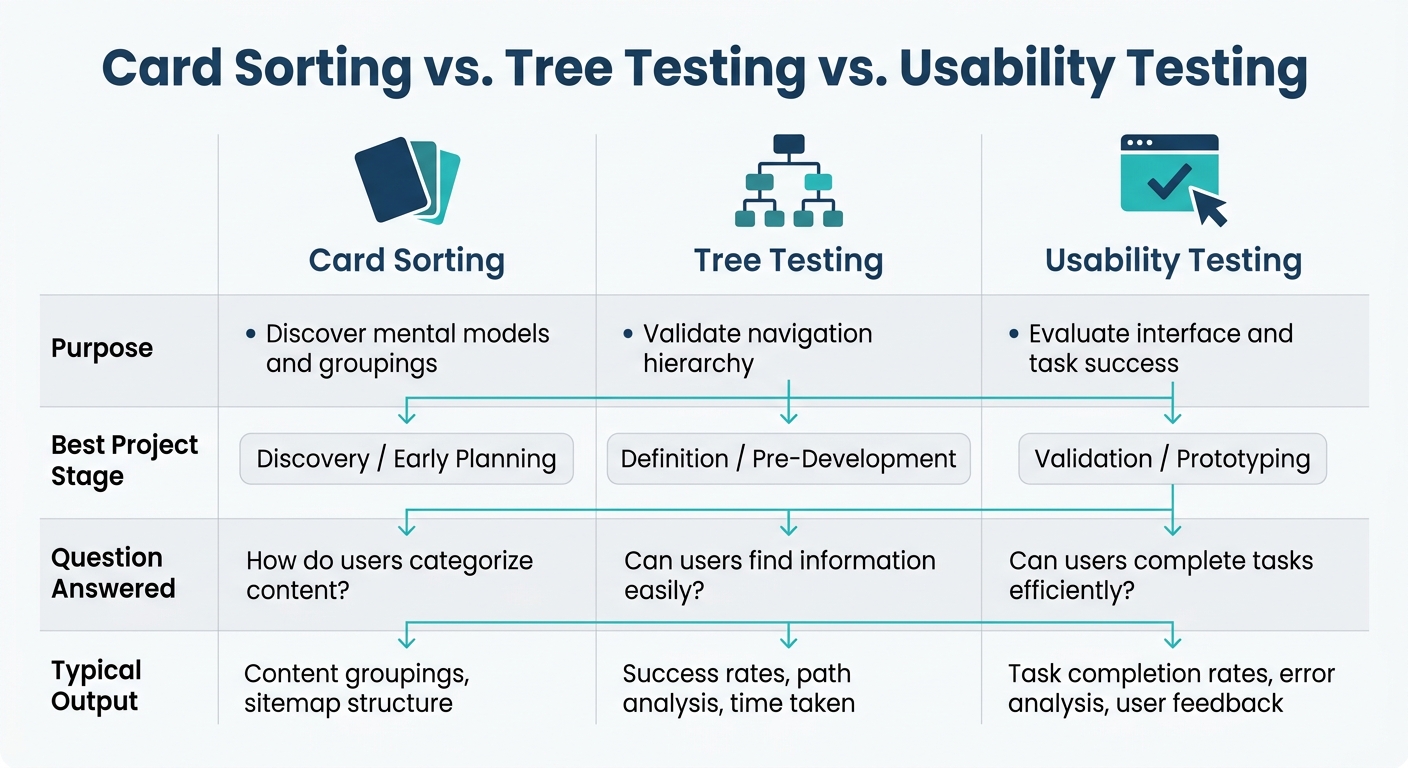
Card Sorting vs. Tree Testing vs. Usability Testing: Which UX Method to Use
If card sorting makes sense for the problem, the next step is simple: pick the right format and use it at the right point in the project.
Open, closed, and hybrid card sorting
Open card sorting helps you find new groupings. People create their own categories and name them in their own words. Use it when you want to see how users naturally group content.
"An open sort exercise is good at the beginning of the project because it helps you to understand how people naturally categorize information." - Vaida Pakulyte, UX Researcher and Designer, Electrolux
Closed card sorting is for checking a structure you already have. You give people the categories, and they place items into them. Use it to test an existing IA.
"Closed card sorting is ideal for testing existing information architecture, as you'll only get only the validation data you need, so it's really efficient." - Guillermo Gineste, Senior Product Designer, Maze
Hybrid card sorting sits between the two. Participants sort items into preset categories, but they can also add new ones. This works well when part of the structure is already in place, like when you're adding new content to an existing product.
Match the format to the project stage
Project timing matters here. The same method can feel spot-on in one phase and totally off in another.
| Project Stage | Best Format | Why |
|---|---|---|
| New product, no structure yet | Open | Builds IA from scratch using user groupings |
| IA redesign | Open or Hybrid | Challenges old assumptions or refines what's working |
| Adding content to an existing product | Hybrid or Closed | Tests where new items fit within the existing system |
| Final check before engineering starts | Closed | Confirms the proposed structure holds up |
For sample size, use 30–50 participants for quantitative sorts and about 15 people for qualitative sessions.
Card sorting vs. other research methods
Card sorting is useful, but it doesn't answer every UX question. If your next question is about checking a structure instead of finding one, switch methods.
| Method | Purpose | Best Project Stage | Question Answered |
|---|---|---|---|
| Card Sorting | Discover mental models and groupings | Discovery / Early Planning | "How should we group this content?" |
| Tree Testing | Validate navigation hierarchy | Definition / Pre-Development | "Can users find this item in our structure?" |
| User Interviews | Explore motivations and workflows | Discovery / Generative | "Why do users have this need?" |
| Usability Testing | Evaluate interface and task success | Validation / Prototyping | "Can users complete a task using the UI?" |
A common flow looks like this: start with an open card sort, turn what you learn into an IA draft, and then run tree testing. Card sorting helps shape the structure. Tree testing tells you whether people can actually use it.
Decision Checklist and Summary
A go or no-go checklist
Use the earlier fit and misfit criteria to answer these four questions. If most answers are yes, card sorting is a fit for your project.
| Question | Go | No-Go |
|---|---|---|
| Do you need to learn how users naturally group your content? | ✓ Yes | Too few items to sort |
| Are your current labels unclear, drifting, or based on internal jargon? | ✓ Yes | Labels are already clear, agreed on, and stable |
| Is the information architecture still open to change? | ✓ Yes | Navigation is already defined and hard to change |
| Do you have enough items to produce meaningful patterns? | ✓ Yes | Fewer than 15 items, or you only need visual or UI feedback |
Key points to take into the project
If the checklist leans toward yes, use these rules to pick the format and timing.
Card sorting answers one question: how users group information. That clear boundary keeps the work focused and saves time.
Run it before navigation is finalized, while there’s still time to act on what you learn. Then match the format to how fixed your categories are already:
- Open sorting if you're starting from scratch
- Closed sorting if you're checking a proposed structure
- Hybrid sorting if part of the architecture is already in place
FAQs
How do I choose between open, closed, and hybrid card sorting?
Choose the format based on your goal and how far along your information architecture is:
- Open: best for early-stage design. People create groups and name them in their own words.
- Closed: best when you already have a navigation setup and want to test or fine-tune it with preset categories.
- Hybrid: a good middle ground when you have part of the structure in place but still want to find new groupings or labels.
Can card sorting work for complex or technical content?
Yes. Card sorting is a simple, low-tech way to organize complex or technical content into a clearer information architecture.
It shows how users naturally group topics instead of forcing teams to lean on internal jargon. That makes it handy when you're restructuring technical menus or shaping dense content, because the labels and overall organization can line up better with what users expect.
What should I do after a card sorting study?
After a card sorting study, analyze the results to spot patterns in how people grouped items. Look for shared categories, repeated label choices, and a few surprises you didn’t expect. Similarity matrices and dendrograms can help you see those patterns more clearly and use them to shape your information architecture and top-level navigation.
Next, create a draft structure and run a tree test to check whether users can find items in the hierarchy. If results are mixed, follow up with interviews to understand why people grouped certain items the way they did.