
Text Case Converter
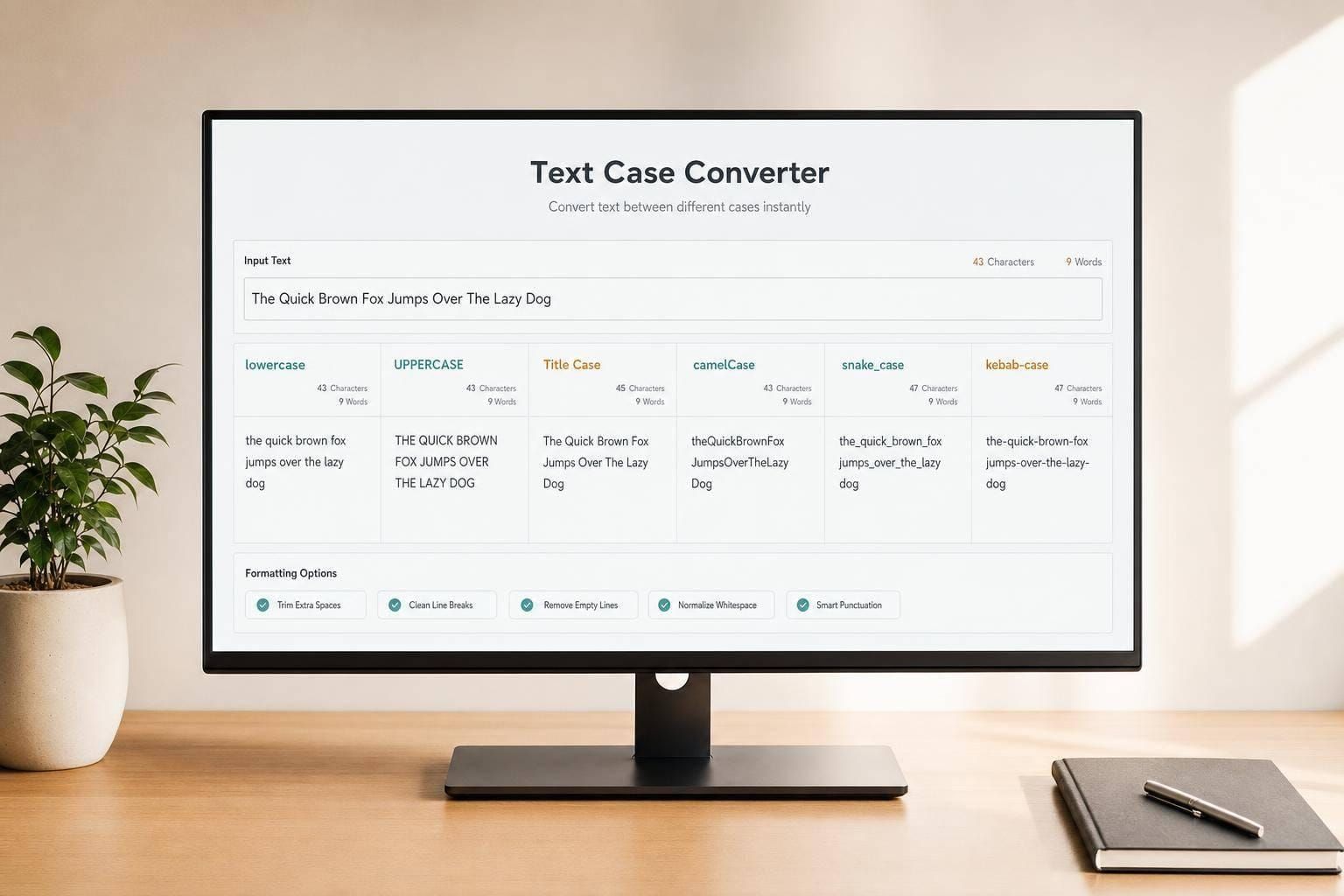
Convert text instantly to lowercase, UPPERCASE, Title Case, camelCase, snake_case, and more with live results, counts, and clean formatting.

Text Case Converter
Clean up text in seconds
A good Text Case Converter saves time when you're editing copy, fixing inconsistent capitalization, or preparing text for code. Instead of retyping everything by hand, you can paste in your content and switch it instantly to lowercase, UPPERCASE, Sentence case, or Title Case. That’s useful for writers, marketers, students, editors, and developers who need fast, reliable formatting without extra steps.
More than basic capitalization
This tool also handles naming styles commonly used in development, including camelCase, PascalCase, snake_case, and kebab-case. It removes or replaces unsupported separators consistently, which helps turn messy input into clean, usable output. If you're working with headings, product names, variables, tags, or URL-friendly text, that flexibility matters.
Built for quick comparisons
The side-by-side layout makes it easy to compare your original text with the converted version at a glance. Built-in word count and character count for both areas add another layer of convenience, especially when you're writing for length limits or formatting requirements. Whether you need a simple capitalization fix or a full text formatting tool, this Text Case Converter keeps the process fast, accurate, and easy to trust.
FAQs
What case formats does this tool support?
The tool covers the most common capitalization and naming styles people use in writing and development. You can convert text to lowercase, UPPERCASE, Sentence case, Title Case, Capitalize Each Word, aLtErNaTiNg case, inverse case, camelCase, PascalCase, snake_case, and kebab-case. That makes it useful for everything from editing headlines and emails to formatting variable names and URLs.
Will it keep my spacing and line breaks intact?
Yes, the converter is designed to preserve line breaks and spacing where that formatting should remain readable, especially for regular text conversions. For code-style formats like camelCase, snake_case, and kebab-case, separators and unsupported characters are cleaned up or replaced consistently so the final output matches the selected naming style.
How does Title Case and Sentence case handling work?
For sentence-based conversions, the tool normalizes punctuation so sentences are capitalized more cleanly and consistently. For Title Case, it applies sensible capitalization rules, including common exceptions for short connector words such as 'and,' 'of,' or 'to' unless they appear at the beginning or end. The goal is to give you output that looks polished without forcing awkward capitalization.