
Best Practices for UX Research in Agile
Make user research part of sprint planning: backlog tasks, one-sprint discovery, lean tests, and turning findings into backlog decisions.

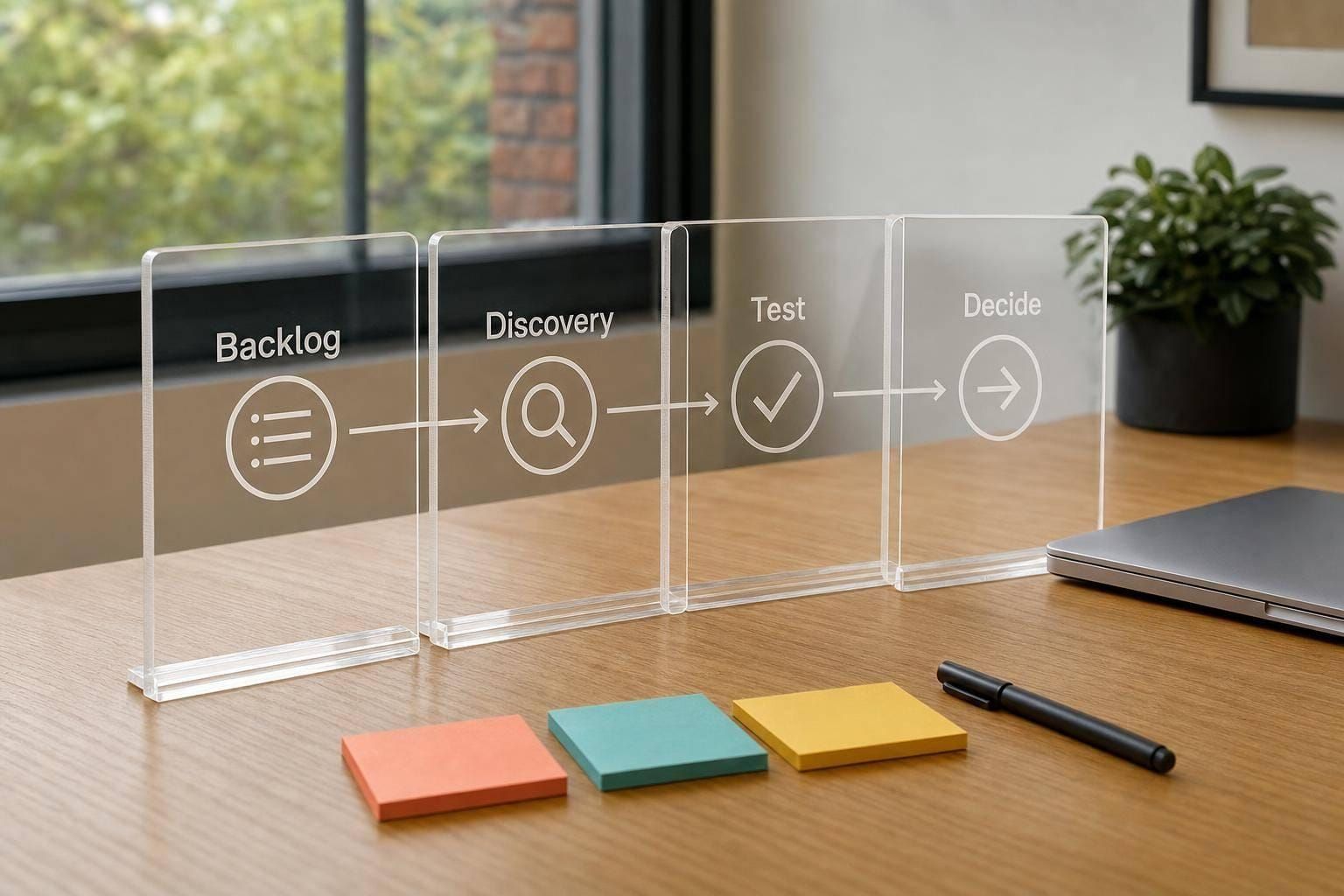
Most Agile teams move fast, but research still gets left out. If 94% of companies use Agile in some way, yet only 16% do user research during development, the fix is pretty clear: put research into planning, keep it one sprint ahead, use small studies that fit short cycles, and turn each finding into a backlog decision.
If I had to sum up the article in plain English, I’d say this:
- Put research in the backlog so it doesn’t get dropped
- Plan discovery ahead of delivery so teams test ideas before code starts
- Use lean methods like unmoderated tests, first-click tests, 5-second tests, and short surveys
- Tie each study to one product decision instead of doing research just to report findings
- Focus on high-risk work first such as onboarding, checkout, and setup flows
- Track UX debt so skipped research doesn’t turn into rework later
- Share the work across product, design, and engineering so research shapes team choices, not just design opinions
A few numbers make the case fast: software teams can spend 40%–50% of project budgets on rework, and 70%–85% of that can come from requirement mistakes that user research may help catch earlier. That’s why short, well-timed research often matters more than large studies done too late.
The main idea is simple: do less research, but do it at the right time, for the right question, and in a way the team can act on right away.
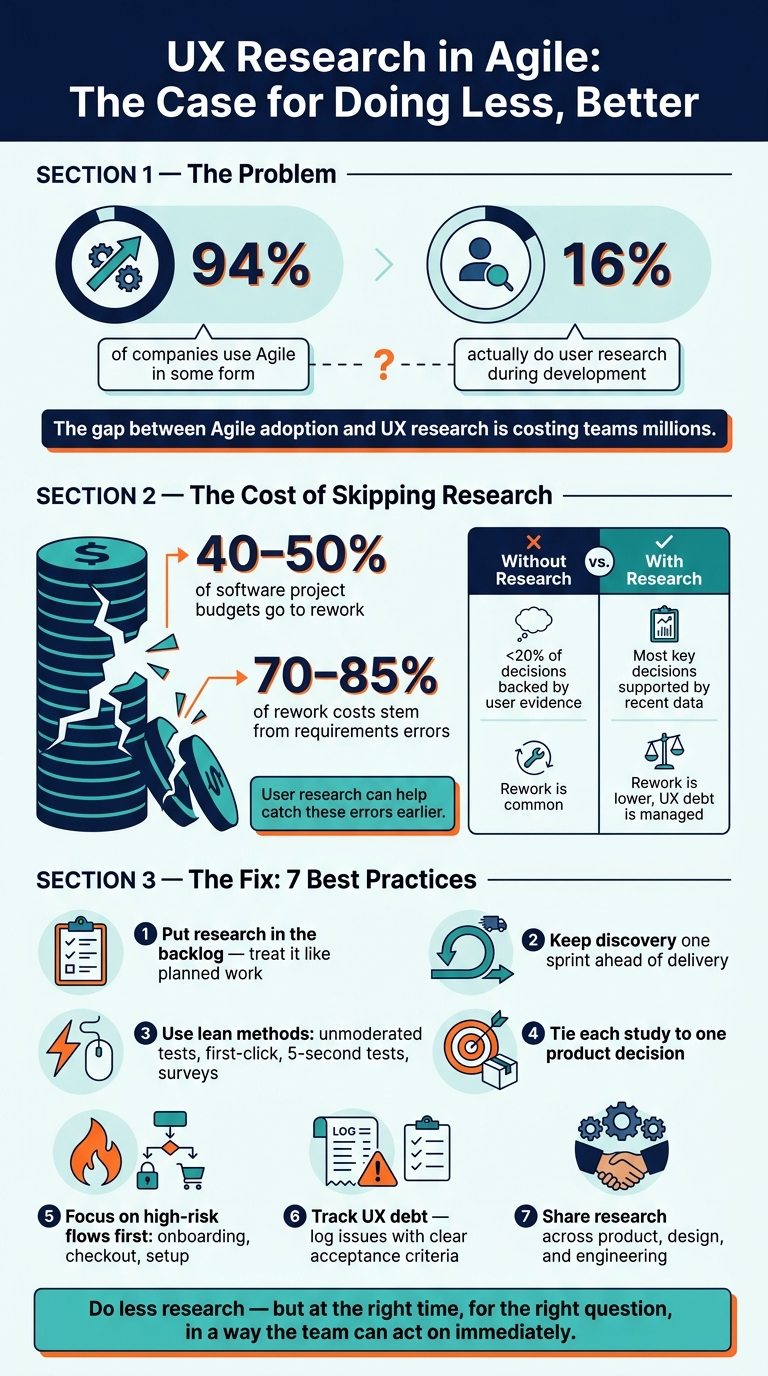
UX Research in Agile: Key Stats & Best Practices
Make UX Research Visible in Backlogs and Sprint Planning
When research lives outside the backlog, teams tend to treat it like a nice-to-have. That’s when interviews and usability tests get dropped. The pattern is pretty predictable: findings show up too late to shape the work, and the team ends up shipping based on assumptions instead of evidence. Once research is visible in the backlog, the next move is simple: give it a sprint rhythm.
Add Research Tasks to the Backlog With Clear Outcomes
Treat research like planned work, not side work. In practice, that means adding it to the backlog as a user story, spike, or task - with a clear question, a method, and a direct tie to a product decision.
A vague item like "Do usability testing for checkout" doesn’t give anyone much to work with. A better version is: "Test the new subscription checkout flow with 5–7 existing customers in remote moderated sessions to confirm whether the $19.99 pricing display is clear and where drop-off occurs." Acceptance criteria can include task completion rate, time on task, top usability issues, and ranked recommendations.
Each research item should answer three basic questions:
- What decision will this inform?
- What’s the risk if we skip it?
- What does done look like?
Adding these as fields or labels in Jira or Azure DevOps keeps research in view during refinement and sprint planning. That way, product managers, designers, and engineers can see how the findings may shape scope.
Keep Discovery One Sprint Ahead of Delivery
Once research is in the backlog, timing becomes the next issue. Keep research and prototyping one sprint ahead of development so stories reach engineering after they’ve already been tested with users. That makes backlog planning steadier and keeps changes cheaper, since testing happens before code is written.
To make that cadence work, teams need a few things in place:
- Pre-screened participants
- A discovery board tied to delivery
- A mid-sprint synthesis check-in to turn raw notes into decisions before time runs out
These small habits help the team move from “we learned something” to “we know what to change” while the sprint window is still open.
Prioritize Research by Risk, Unknowns, and Impact
Not every research item needs the same amount of time or attention. Focus first on the work with the most risk, uncertainty, and impact.
High-risk work is hard or expensive to undo. High-uncertainty work lacks direct evidence. High-impact work touches daily tasks, revenue, or retention. A simple 1–5 score across those three factors can help teams sort candidate research topics fast and decide what to study first - and what can wait. This keeps research visible, scheduled, and aimed at the areas with the highest UX debt.
sbb-itb-124fdbf
Use Lean Research Methods That Fit Short Sprints
Once a research question lands in the backlog, pick the lightest method that can answer it. That’s the key idea. Traditional research usually doesn’t fit a 2-week sprint, while lean methods can give the team usable input in 24–72 hours.
Pick Fast Methods for Sprint-Scale Questions
The method should match the decision in front of you. If the team needs feedback on a specific design, three options work especially well: unmoderated usability tests, first-click tests, and 5-second tests.
Unmoderated usability tests let participants complete tasks on their own. The team can then review recordings, click data, or heatmaps afterward. This makes them a good fit for testing flow changes without slowing the sprint down.
First-click tests answer a simple but important question: can users find the next step? They’re fast to set up and can often be reviewed in a single day. If you’re checking navigation, labels, or page paths, this is often the fastest route.
5-second tests work best when you need to see whether a screen gets its message across right away or what people notice first. That makes them useful for landing pages, onboarding screens, or any UI that needs to be clear on first glance.
For directional input, like preferences, satisfaction, or feature priorities, a short in-product survey is often enough. It won’t show where users get stuck, but it does give fast quantitative signals.
A simple way to think about it:
- Use unmoderated tests for flow changes
- Use first-click tests for navigation or labels
- Use 5-second tests for key screens
- Use quick surveys for prioritization
Build Continuous Discovery Into Team Cadence
After choosing the method, the next step is making research repeatable inside the sprint. One practical approach is to block two or three one-hour slots each week for customer conversations or quick usability sessions. Then fill those slots with small studies of 3–5 participants tied to upcoming roadmap decisions.
Recruiting can stay light if you lean on channels you already have: in-product intercepts, customer success lists, beta tester communities, or a standing participant list tagged by persona or usage pattern.
Keep each study tightly scoped. Spend half a day on prep, one day on execution, then bring the team a short readout in refinement: 3–5 bullets, a few screenshots, and a short clip. That’s often enough to move a decision forward without turning research into a big production.
Balance Generative Research and Evaluative Testing
Timing matters too. Some methods help the team figure out the problem. Others help check whether the proposed fix works.
Generative research is for learning about problems and unmet needs before a solution is defined. Evaluative testing is for checking whether a specific design works once there’s something to test.
Run generative work early, when the team is still shaping what to build. Short contextual interviews and light concept tests fit well here. Run evaluative methods in the middle or later part of the sprint, once designs have reached early prototypes.
A useful pattern is to run one generative micro-study every few sprints so problem discovery doesn’t disappear, then use evaluative tests in most sprints where designs change. Put simply: use generative studies to find the problem, and evaluative tests to tune the solution.
Turn Research Findings Into Team Decisions
Even well-run research loses its worth if the findings never shape team decisions. On Agile teams, insights often end up buried in slide decks, shared folders, or research tools that sit far away from sprint planning. Then the backlog starts reflecting stakeholder opinions and tech limits more than actual user behavior.
The answer isn't more research. It's turning findings into backlog decisions. Once research shows up in the sprint, the next step is simple: turn what you learned into work the team can commit to.
Share Findings in Sprint Ceremonies and Decision Meetings
The most practical way to close this gap is to bring research into meetings the team already has on the calendar. Not as a report-out. As a decision point.
In sprint reviews and backlog refinement, a one-page summary is often enough. A useful format includes:
- the observed issue
- the affected user segment
- a short evidence summary
- the product impact
- a specific next action ready for the backlog
For example, users fail to locate the billing settings within 30 seconds during account setup.
That recommendation needs to be concrete. A PM should be able to turn it into a user story or a UX spike while the team is still in the room. If a finding leaves the meeting without a backlog item attached, it's not likely to affect prioritization.
For that decision to hold up, product, design, and engineering need to frame the question together.
Align Product, Design, and Engineering Around the Same Questions
Research turns into a design-only exercise when designers are the only people setting the questions. A better way is to frame research questions jointly, with the PM, designer, and tech lead agreeing during pre-planning on what they need to learn and what they'll do with the answer.
It also helps to set a pass/fail criterion before testing starts. That way, the team knows what result will trigger another round of work. When product and engineering share that threshold, findings become a common input for tradeoff decisions instead of a recommendation someone can brush aside.
Of course, even good alignment can fall apart if recruiting and facilitation bring in bias.
Improve Research Quality With Better Recruiting and Less Bias
Fast research done under sprint pressure often cuts corners on recruiting. Teams may pull in whoever is easiest to reach, which pushes findings toward people who already know the product well. A better default is to recruit from channels tied to real users, like support tickets, in-product intercepts, customer success lists, or product usage data. A short screener also helps confirm that participants match the intended audience.
Bias can also slip in during facilitation. Neutral task framing matters. Asking participants to update their billing address is a fair prompt. Telling them to click Billing in the top menu to update their address is not.
Two simple habits can help here:
- Have a second team member observe sessions on their own
- Check findings against analytics or support data before drawing conclusions
Both steps help reduce interpretation bias.
Evidence-driven decisions reduce rework, increase stakeholder confidence, and better match user needs.
Work Within Constraints, Reduce UX Debt, and Build Better Research Habits
Narrow Research to High-Stakes Decisions When Time Is Short
When research time is limited, focus on decisions that will be expensive to change later. Keep a short backlog of high-stakes choices and put your attention on work that has big impact and is hard to undo - like core onboarding flows, payment or checkout journeys, and key configuration workflows tied to revenue or critical adoption.
A simple filter helps. Score each item based on:
- how many unknowns are still in play
- how many near-term features depend on it
- how painful it would be to reverse later
Then test the most critical workflow first. One tight, task-based test usually tells you more than a broad study with fuzzy goals.
Track UX Debt Alongside Delivery Speed
When teams cut research, the bill often arrives later as UX debt. It builds up when discovery gets skipped or products ship without validation. You can usually spot it fast: navigation feels patched together, error messages confuse people, flows add extra steps, and features get weak adoption even after a lot of engineering work.
The cost can be steep. Industry data shows that 40–50% of software project budgets can go to rework, and 70–85% of those rework costs come from requirements errors that user research can help prevent.
To keep that debt from fading into the background, log UX issues in the backlog with clear acceptance criteria. Then set aside a fixed share of design and development time - about 10–20% per quarter - to work through them. In retrospectives, spend 10–15 minutes on a short UX health check: recent metric trends, the top three unresolved findings, and any new debt items that surfaced.
Build Team Skills and Close the Loop
Research works better when product managers, designers, and engineers can all handle the basics. That might mean running a simple usability test, taking structured notes, or doing a short interview. Joint sessions help a lot here. When non-researchers observe sessions - or sometimes moderate with guidance - the skill spreads across the team without the need for a formal program. It also helps findings make their way into product decisions when no dedicated researcher is available.
Use this as a quick retrospective check, not a full assessment:
| Aspect | Research gets cut under pressure | Research stays in cadence |
|---|---|---|
| Decision quality | Fewer than about 20% of product decisions are backed by user evidence; rework is common. | Most key decisions are supported by recent data; rework is lower and UX debt is managed. |
FAQs
How do I start UX research with no dedicated researcher?
Work research tasks into your team’s current workflow instead of treating them like a side project. Start by setting clear, action-focused goals for each study so the team stays centered on user needs.
It also helps to add feedback loops at key milestones. That way, people can weigh in before small issues turn into bigger ones. To keep ownership clear, use a RACI framework to assign roles across the team, such as facilitation or note-taking.
If your team wants to sharpen its process, DeveloperUX’s Master Course on UX can help refine your approach.
Which Agile UX research methods are fastest?
In Agile teams, the fastest methods are the ones that shorten feedback loops.
AI-powered tools can speed up transcription, wireframing, and predictive testing. A/B testing adds another fast check by giving teams measurable data they can use to confirm design choices.
Short, frequent usability testing cycles help too. They let teams make changes sooner, learn what works, and improve task completion rates by 25%–40%.
How do I prioritize UX research in a sprint?
Tie research to business goals, and use clear scoring rules when you need to make trade-offs. A simple way to do that is to map issues by impact and urgency so the top-priority work stands out fast. You can also score research needs based on business value, user impact, and technical effort.
Each session should have specific, measurable goals. Put the most urgent problems first, especially the ones that stop users from finishing a task right now. Then line up medium-impact fixes for the next sprint.