
Your Design File Is Now an API: Design-to-Code Handoff in the Age of Agents
Agents now read and write design files over MCP. Here's how Figma, Paper, pen.dev, and Penpot differ for developers, and what to check before you wire one in.

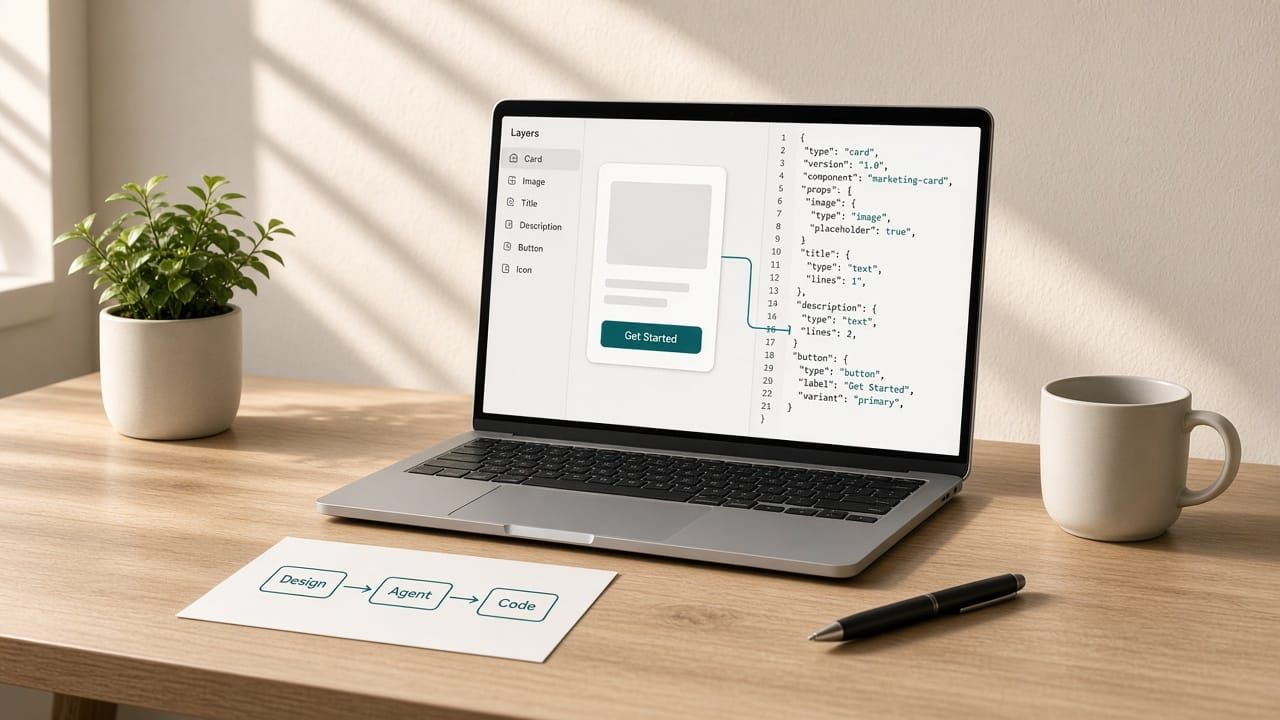
For most of my career, handoff meant a developer squinting at a frame and rebuilding it by hand. The file was a picture of the product, and the developer translated it.
That's changing fast. All four of the canvases I watch most closely (Figma, Paper, pen.dev, and Penpot) now ship an MCP server, which means your coding agent can open the design file and read it directly. Some of them let the agent write back. The question now is: what does my agent see when it reads this file, and what can it change?
Here's the short version:
- The design file is becoming an interface. Agents call it like an API, so its data model matters more than its UI.
- Read vs. write is the big split. A read-only connection is a spec. A read/write connection is a collaborator with commit access.
- Format decides fidelity. A canvas built on HTML/CSS or open JSON gives an agent less to translate than a proprietary scene graph.
- Limits and seats are part of the DX. MCP quotas and seat types decide who can use the workflow.
Quick Comparison
| Canvas | What the file is | Agent access | Where it runs |
|---|---|---|---|
| Figma | Proprietary canvas | MCP server (remote or desktop); canvas writes on the remote server | Web + desktop |
| Paper | Real HTML/CSS | MCP that reads and writes your files | Web + desktop |
| pen.dev (formerly Pencil) | Open JSON .pen file with an open schema |
MCP, WebMCP, CLI, plus an on-canvas agent | IDE extension, desktop app, headless CLI |
| Penpot | Open source, CSS Flex/Grid layouts | Official MCP server, hosted or self-hosted | Web; self-host free |
I keep a live, sourced version of this comparison on DesignEng Index, with pricing and the latest release for each tool.
What Changes When the Agent Reads the File
A person reading a design file brings context. They know "Frame 4823" is the pricing card. An agent doesn't, unless the file tells it.
That makes file hygiene a developer concern now. Paper's own MCP docs say it plainly: you get the best results "if the structure of your design is already optimized for code," which in Paper means flex layouts and containers. The same docs list gotchas when pulling from Figma's MCP: agents tend to ignore spacer elements, so spacing comes out wrong, and very large, deeply nested designs can make tool calls fail. Their advice is to break the work into smaller parts and iterate.
None of that is a knock on any one tool. The old handoff skills (naming layers, using auto layout, building real components) have moved from "nice to have" to "the thing your build depends on." Have that conversation with your designers before you wire an agent in.
Four Different Bets on What a Design File Is
Figma: the incumbent, now with a write path
Figma covers design-to-code with Dev Mode, Figma Make (prompt to app), and its MCP server. Figma's developer docs recommend the remote server at mcp.figma.com/mcp, which supports writing to the canvas from clients like Claude Code, Cursor, Codex, and VS Code. The desktop server runs locally and can't write to the canvas.
The DX detail I'd flag is seats and limits. Per Figma's MCP FAQ, View and Collab seats get up to 20 calls per month, and Full or Dev seats on Professional get up to 200 per day. A Dev seat can write in your drafts but is read-only on other files. If your plan is "every developer's agent reads the design," budget for that. On pricing, Professional runs $16/mo for a Full seat and $12 for a Dev seat.
Paper: the canvas is HTML and CSS
Paper's bet is that if the canvas is already web tech, there's less for an agent to get wrong. Its MCP lets agents read and write files, generate layouts, pull in real content, sync tokens, and turn a selected frame into code. You can also copy frames as React CSS or Tailwind. Paper claims its MCP is more accurate and token-efficient than other design tools. That's Paper's claim, and I haven't benchmarked it.
The trade-off is maturity: Paper lists components as coming soon, so I wouldn't move a design system over yet. The free plan includes unlimited editors and 100 MCP calls a week. Pro is $16 per editor per month on yearly billing.
pen.dev: design files that live in your repo
pen.dev (formerly Pencil) feels the most developer-native of the four. It runs as an IDE extension, a desktop app, or a headless CLI. Its .pen format is, in its own words, "just a JSON file that allows agents to work with it natively," with a fully open schema. That means design files can sit in Git next to the code, get diffed, and get reviewed in a pull request.
You can bring your own model through a subscription or API key, or connect agents over MCP. Pro ($16/user/mo) runs 3 agents in parallel and Ultra ($48/user/mo) runs 6. One caution: an independent review found no public changelog, and its license is proprietary. The CLI ships often (@pen.dev/cli 0.3.12 landed Oct 14), so watch npm.
Penpot: open source and self-hosted
Penpot is the option for teams that need control. Layouts map to CSS Flex and Grid, it has design tokens, and you can self-host it for free. Penpot 2.15 moved its official MCP server to an in-app setup with hosted remote access, and you can still run it on your own infrastructure. Penpot describes the workflow as multi-directional: design to code, code to design, or design to design. If design files can't leave your network, start here.
How I'd Choose as a Developer
Start with the constraint you can't change.
- Your team already lives in Figma: stay there. Turn on the remote MCP server, check your seat types against the call limits, and invest in Code Connect and clean components.
- You want the agent to work on real web primitives: try Paper on a small, self-contained surface like a landing page hero, and keep your design system where it is until components ship.
- You want design reviewed like code: pen.dev's
.penfiles in Git get you closest to that today. - You need self-hosting or open source: Penpot, with its MCP server running on your own infrastructure.
Whatever you pick, treat write access the way you'd treat any credential. Paper's docs make the same point: grant "always allow" to read-only tools, but think twice before letting an agent write to a file you care about.
Watch the Churn
The last thing developers should factor in is how fast this category moves. In the last few years InVision shut down its design collaboration services, Adobe XD went into maintenance mode, Avocode and Abstract disappeared, and Motiff and Visily are both shutting down on October 31. Builder.io just renamed Fusion to Builder Code. If your pipeline depends on a design tool's API, a shutdown or rename becomes a migration ticket for your team.
That churn is why I built DesignEng Index. It tracks pricing and changes across about 50 design and design-to-code tools, keeps a weekly log of what shipped with a source for every entry, and has a graveyard for tools that shut down or got renamed, with where to go next. I've worked across branding, marcom, product, and design engineering, and I wanted one place to check.
Conclusion
Handoff used to be a translation step. Now it's an integration. The design file is something your agent queries, so the questions developers should ask are the same ones you'd ask about any API: what's the data model, what are the rate limits, who has write access, and what happens if the vendor goes away.
Pick the canvas that answers them well, keep files clean enough for a machine to read, and start small.
Do I need an MCP server to hand off designs?
No. Inspect panels and code export still work. MCP helps most when an agent already writes much of your front end and should use the real design instead of a screenshot.
Is read/write access safe?
It's as safe as the permissions you grant. Keep read-only tools on "always allow," approve writes one at a time, and point agents at copies or drafts while you learn how they behave.
Sources
- Figma MCP server docs: https://developers.figma.com/docs/figma-mcp-server/
- Figma MCP FAQ (limits and seats): https://help.figma.com/hc/en-us/articles/39252411778583-Figma-MCP-server-FAQs
- Figma pricing: https://www.figma.com/pricing/
- Paper MCP docs: https://paper.design/docs/mcp
- Paper build log and pricing: https://paper.design/build-log, https://paper.design/pricing
- pen.dev and pricing: https://www.pen.dev/, https://www.pen.dev/pricing
@pen.dev/clion npm: https://www.npmjs.com/package/@pen.dev/cli- Independent pen.dev review: https://www.anchorterminal.com/tools/pen-dev
- Penpot MCP server: https://penpot.app/ai/mcp-server
- Penpot 2.15 release notes: https://penpot.app/release-notes/2-15-master-of-puppets
- Builder.io rename: https://www.builder.io/blog/builder-product-name-change