
Designer vs. Developer Handoff: Common Challenges
Explore the challenges of designer-developer handoffs and discover strategies to enhance collaboration and improve project outcomes.

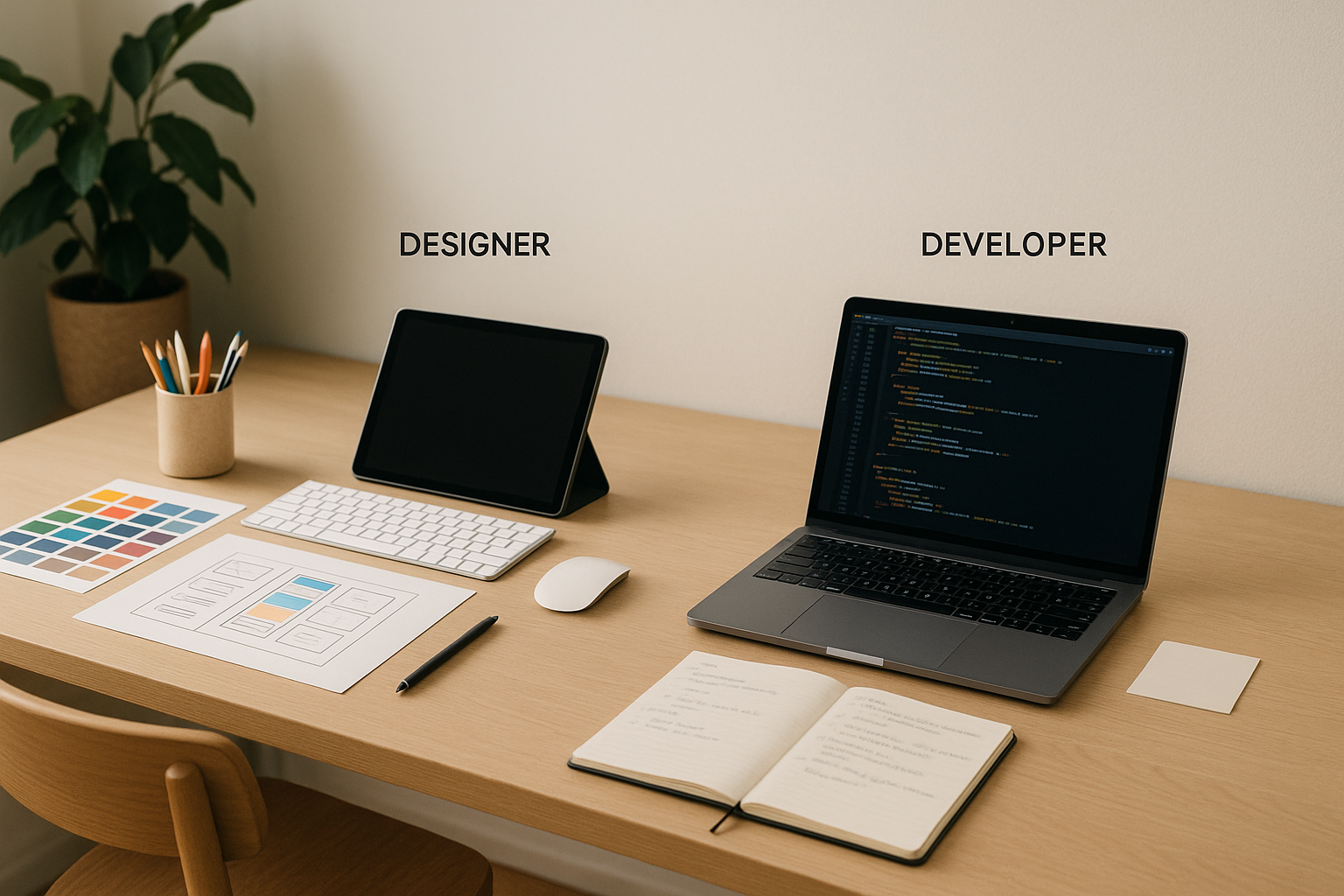
The handoff from designer to coder is key in making a plan work as a real thing. If not done well, it makes things hard to understand, causes delays, and gives uneven outputs. But done right, it makes things move faster, cuts down back-and-forth talks, and makes sure the end thing fits well with the first idea.
Let's look at main problems and fixes:
-
For Designers:
- Fix messy files and unclear names.
- Give full details like fonts, colors, and hover looks.
- Take care of special things like long text, errors, or no data.
- Keep using the same design systems.
-
For Coders:
- Make designs work with tech limits like browser types or running well.
- Fix designs that are not complete like missing looks or size rules.
- Close gaps between design tools and coding tools.
- Sort out old or unclear notes.
-
Both Sides:
- Clear up who owns what and the checking process.
- Fix mismatched names between design and code.
- Do not miss special cases like no data or mistakes.
Fast Ways to Make Handoffs Better:
- Use one design system that everyone knows and checks.
- Mix tools like Storybook to link design and code.
- Have regular checks to spot problems soon.
- Write clear notes for special things and different looks.
By working on these fixes, teams can make the handoff smooth and helpful for both designers and coders.
Designer Challenges and Needs
Designers must turn art into clear plans for developers. This job is hard and has many issues that can mess up the whole process from design to code.
Making Design Files Easy for Developers
A big problem is putting design files in a way that developers can get. Designers set files in their own way, and that can make it hard for developers to find what they need. Messy files and odd name styles only make things worse.
Look at file names like "CTA_final_v3", "primary-button", and "main_action_btn." These kinds of names make developers waste time looking for the right file. When there are many files like this, it's very annoying.
The issue gets bigger when designs need to work on many screen sizes. If files aren’t linked well or organized right, developers must guess how things should change. This can end up looking different from what the designer wanted.
And another thing? Spread out icons and images. When developers must change an icon or image, they shouldn't have to search through many folders or ask designers where things are. Not having things in one place slows everything down and makes lots of extra work.
But just setting up files right isn't enough. Designers also need to give full details to make sure their idea works well as real code.
Giving Full Details: Fonts to Special Cases
Design specs often don't give all the details developers need. They depend on exact info - like type of font, weight, size, space between lines, and gap numbers - so they don't have to guess. If details are missing or not clear, it leads to things not matching up.
Parts that users interact with are often missed out. Designers might write down how a button looks usually but not say anything about:
- How it looks when you hover over it
- What shows when it's in focus
- What it does while loading
- How it acts when there's an error
When these parts are left out, developers make guesses. What comes out may not be what the designer wanted.
Special cases are also missed often. Designers might plan for perfect text or neat layouts, but real life is messy. What if a name is too long, or there's extra text, or nothing to show? Without rules for these, developers just have to wing it.
Color details are also super important. Developers need exact colors - hex codes, RGB, or design tokens - and rules for how colors change in different uses or when someone interacts with them. Things like how colors look together are also key but often not thought of.
Even when specs have it all, using a design system brings its own troubles.
Using Design Systems
Design systems aim to make team work easy, but can mix up tasks if not well-handled. Designers may change parts to fit special needs, but without good guides, developers end up unsure of how to use these changes.
For instance, if a designer makes a new type of button not seen before, developers must choose: Make this new button or use the old type? With no good talk, developers might pick the easy way, even if it's not what the designer wanted.
Old or bad guides can also make trouble. A design system might have a button part, but not show all its uses or rules. Designers might use it in ways not planned, thinking developers will get what they mean.
When design systems get updates, it's key to talk well. Designers must share updates and ways to switch so all use the same version. Without this, teams might end up using different versions of the same part.
Unwritten changes are another problem. Like, a designer may make a new card part with extra bits or new looks. If this isn't written down or added to the system, developers may see it as a brand new part, hurting consistency and reuse.
These issues show why clear talk, good guides, and tidy work steps are key to link design and making.
Dev Tasks and Needs
Devs often meet hard tasks when they make designs work in code. While designers aim to make things look good and be easy to use, devs deal with tech limits that don't show up when first making the designs.
Working With Tech Limits
Making designs work as code isn't simple. Devs face many tech issues, like:
- Speed choices: A pretty design might run slow, mainly on old gear. Devs need to find a good mix of good looks and fast work for all types of tools.
- Web browser issues: What's good in one web browser may break in another. Devs often change designs or find ways to make them work well in all browsers.
- Thinking of all users: Designs might miss the needs of all users, so devs add things like clear titles for screen readers, good color contrasts, and keys to move around. These changes can shift how the design looks.
- Needs for each type of device: A desktop design might need big changes for phones. Devs have to think - should they keep the design or follow device rules?
- Limits from data and APIs: Real data might not fit the design well. For instance, long user names, odd image shapes, or missing info. Devs must adjust quickly to fix these issues.
Devs also need to make sure the design's aim looks right in the end product.
From Design to Code
Going from design to code brings up new tough spots. Devs often deal with things like:
- Matching parts: If designs don’t fit current code sets, devs decide to expand what they have, make new parts, or make parts that work in many ways. Each choice affects how complex the code is and how hard it is to keep up.
- Handling states: Designs often show still looks but don't think of all ways things can look. Devs must set and style extra states - like when loading, if there's an error, when off, or in focus - that weren’t in the first design.
- Filling design gaps: Designs might only show desktop and phone looks, making devs guess for other sizes like tablets or very big screens. Missing details for how things change sizes can lead to guesses that don't match what the designer wanted.
- Fine-tuning motions: Without exact rates and smooth moves, motions can feel wrong. Devs need clear details to make flows feel real and match the design.
These points show why it's key for design and dev teams to talk well and often.
Making One Clear Guide
To keep teams on the same page and avoid mix-ups, everyone must use one trusted source of design docs. This helps coders work fast and makes sure the end thing looks just like it was meant to. Some common problems include:
- Version mix-ups: Teams often have many design files. If versions aren’t clear, coders might use old drafts, wasting time and needing redoing.
- Unclear docs: When design rules, guides, and drafts don’t match up, it’s confusing. For instance, the rules might say buttons need 16px padding, but a new draft shows 20px. Coders don’t know which to use.
- Missing details: A design might show a part like a card but not explain enough, like how it shows extra text, works with less content, or fits in different box sizes.
- Who’s in charge?: If coders find something off or need to ask something, they often don’t know who to ask - was it the starting designer, the rule keeper, or the product boss? This slows things down.
- Small differences: Tiny changes in design bits (like color shades) in design apps and the real code can make the final look a bit off.
- No control: Design rules can change without talking about it. If a designer changes spaces in Figma, but coders keep using old numbers in code, designs and code won’t match as time goes by.
Linking design tools and coding work places needs clear, doable plans that think of tech limits but keep the designer’s idea intact. This link is key to making a smooth and working product.
Shared Issues for All Teams
Common problems in the handoff step show we need plain and clear steps. While designers and developers each have different hard points, some troubles hit both, making it hard to work well and finish on time.
Who Owns What and When to Review
A big pain for both teams is not knowing who decides on the design and review steps. Developers often don't know who to ask when they have issues. At the same time, late reviews make things worse. Designers might work for weeks on a design, just for developers to find issues that need big changes.
Things get even more mixed up when approval steps are not clear. Developers might start to code with designs that are not done, and find out later that changes are still needed. This problem gets bigger when key players add new needs after the handoff, leading to non-stop changes that hurt the team's spirit and slow down work.
These issues with timing and ownership often lead to another common problem: names that do not match.
Differences in Naming
Not matching names between design files and code is always a problem. For instance, what a designer calls a "Primary Button" in Figma, developers might call "btn-primary" in the code. These small mix-ups cause confusion and mistakes in the work.
The problem goes beyond just parts - it reaches to whole design ways. A designer might talk about the "checkout flow confirmation modal", while a developer knows it as "order-success-dialog." These mix-ups make even easy talks tougher than needed.
Names for colors and spaces are another tough spot. Designers like names like "Ocean Blue" or "Warm Gray", while developers choose labels like "primary-600" or "neutral-400." Without a set way to match these names, developers are left to guess which design choice fits the coded value.
But these naming problems are just part of the bigger issue. Not having detailed rules for special cases adds more problems.
Not Covering Special Cases
Designs usually focus on the "happy path" - what the user sees when all works well. But real-life apps must think of special cases and states of action, which are often not looked at in the design step.
For example, empty states - how a screen looks when there’s no data - are often not thought of. Also, how to handle errors is hardly set, leaving developers to work out what to do when things like API calls fail or users put in wrong data. Another overlooked point is changes in content - what a user card should look like when someone has a very long name, for example.
These holes in the rules don’t just cause short-term problems; they lead to growing technical issues over time. The result? Interfaces that do not feel the same and need continuous work to stay true to the first design goal.
Better Ways to Pass Work
Passing work can get better with the right setups. Teams that make their handoff steps better often see faster work times and less do-overs. The key is to make flows that fit well for both the designers and coders from the start. By fixing common troubles and closing the gaps, these tools can change working together and keep things even.
Making and Using Design Systems
A design system acts like a shared plan for design and coding teams. Rather than arguing about what "main blue" means, both groups can see the same color piece and match up easily.
For a design system to do well, it needs clear update rules. Saying who owns what parts is very key. Some teams pick designers, others pick coders, and some have both share it. No matter what, all should know who to ask when they have questions or need to make updates.
Another main part is keeping track of versions. For example, when a button goes from version 1.2 to 1.3, both design files and code should show this. Good tracking lets teams spot and fix any mismatches fast.
Linking Design to Code
Closing the space between design and code is smoother with things like Storybook, which make a single, trusty source for both groups.
Some teams add automatic updates. Like when a designer changes a color in the design system, it updates right away in the code. This stops coders from having to check and put in changes by hand.
Using component stores that are in both design tools and code also works well. Rather than making new buttons from start, designers can use the same parts coders will put in. This cuts down on "this doesn’t match the design" problems.
Also, docs with the code make a big change. When coders can see design details, guides, and examples right with the code, they’re more likely to get designs right the first time.
Setting Review Steps
Regular talks between designers and coders are key. Weekly review meets help find issues early, stopping last minute shocks. During these talks, teams can deal with tech limits or design worries as they come up.
Tech reviews should be early in the design steps. Coders can point out possible hard parts before designers spend too much time making something that might be hard to make. Early talks often lead to fixes that work well for both sides.
Clear acceptance points are a must too. Rather than unclear wants like "make it look good on mobile", clear aims like "text must be easy to read at 320px width" give clear steps for coders.
Joint shows are key for spotting off parts. When designers can see their planned part against the real one, they can spot and fix any differences fast.
Lastly, review steps should talk about rare cases. Teams that often look at error states, empty states, and loading states in talks tend to give more finished and neat results.
Setting up these systems and steps takes work at first, but the result is worth it. Teams that focus on good handoff systems find working together easy, and the handoff step seems almost gone.
Main Points
The handoff between designers and developers does not need to be hard. By working together and understanding each other, this step can go from being a tough spot to a easy and helpful work flow. By fixing usual problems and making systems that fit both sides, teams can bridge the gap between design and development.
What Designers and Developers Need
Designers and developers look at projects in different ways. Designers are all about creating good-looking interfaces and the best user experience. But, they often find it hard to keep files in order, give full details for special cases, and match their ideas with what can actually be done.
On the other hand, developers care more about how things work, how fast they run, and clean, simple code. They face problems like joining the project too late, not having complete details, and turning detailed designs into real, working tools.
This difference happens because designers aim for the "ideal" result, while developers work within what is possible. Without clear talks and common rules, these different goals can cause mistakes and wasted work.
How to Make Handoffs Better
To make handoffs better, good teams follow a few important steps. A big move is to bring developers in early - at the drawing and idea stages - so they can offer ideas and spot problems before they turn into big changes.
Another key step is to keep project files neat and clear. Having clear versions and central sources makes it easier for all to be on the same page. Full notes are just as important. Going over things like mistake messages, load times, no-data views, and how things look on different screens makes sure developers have what they need to turn designs into reality. Interactive prototypes with notes can also make the design goals clear.
"Handoff – I don't even like the word 'handoff' because it sounds like a one-time thing, and it really isn't, especially now. It's more of a process."
- Szymon Adamiak, Co-founder of Hype4 Mobile and Front-end Developer
Study Tools for Groups
As groups grow, learning is key in helping the work between designers and builders go smooth. Sites like DeveloperUX give good lessons, with top pick being their Master Course on UX. This class looks at design rules, user experience tips, and real work issues for both in-house or client jobs.
When groups make it their goal to get the other's job and problems, they set up a strong start for clean talks and fitting project plans. By seeing the handoff as teamwork that keeps going and not just a one-off job, teams can shape ways of working that are better and faster, leading to end results that match what was first thought of. Putting money and time into shared learning makes the handoff a real team effort.
FAQs
How can I set up design files to help devs better?
To help devs better, keep your design files neat and simple to use. Put similar screens in well-marked groups that match task flows or certain features. Use clear, steady names for screens, parts, and layers to cut down on mix-ups.
Tag finished designs as 'Ready for Development' and add all key info, such as gap, type style, and color details. A well-set structure with useful notes will let devs get your designs fast, reducing needless back-and-forth.
How can coders deal with tech limits when they put a plan into action?
To fight tech limits well, it's key for coders to join up with the artists from the start. This early team work makes sure both sides know the tech edges well, and that the plan fits well with what the tools can do.
Keeping talks open and the same all the way is vital. By this, teams can see problems soon and think of new ways to fix them as one. This not only makes work flow smooth but also makes sure the final thing fits both the plan aim and what can be done with tech.
How can designers and developers team up better during the handoff?
Tips for a Smooth Handoff Between Designers and Developers
For a smooth shift from design to build, early talks and steady teamwork are musts. Often checking in with each other keeps all on the same path, making sure project aims are clear and cutting down the chance of mixed signals.
Using shared design systems and tools that let you work together - like design apps with comments built in - can make work flow better. Keeping files neat and writing down choices well lets developers get and use the designs right.
Last, having open and kind talks within the group creates a place where issues can be tackled early. This forward-thinking way cuts delays and makes sure the shift from design to build moves as smooth as it can.